IA y PLATAFORMA
Ask complex business questions that would otherwise require multiple reports and manual analysis. Expanded financial inquiries allow AI Assistant to analyze document history and answer questions about prior periods and specific dates, helping finance teams understand how balances changed, identify trends, and investigate the transactions behind the numbers. Receive answers as text, charts, or tables, and generate and refine reusable dashboard widgets. Review the source Generic Inquiry and query details behind each widget, then add selected widgets to an editable dashboard so teams can continue using them after the conversation ends.
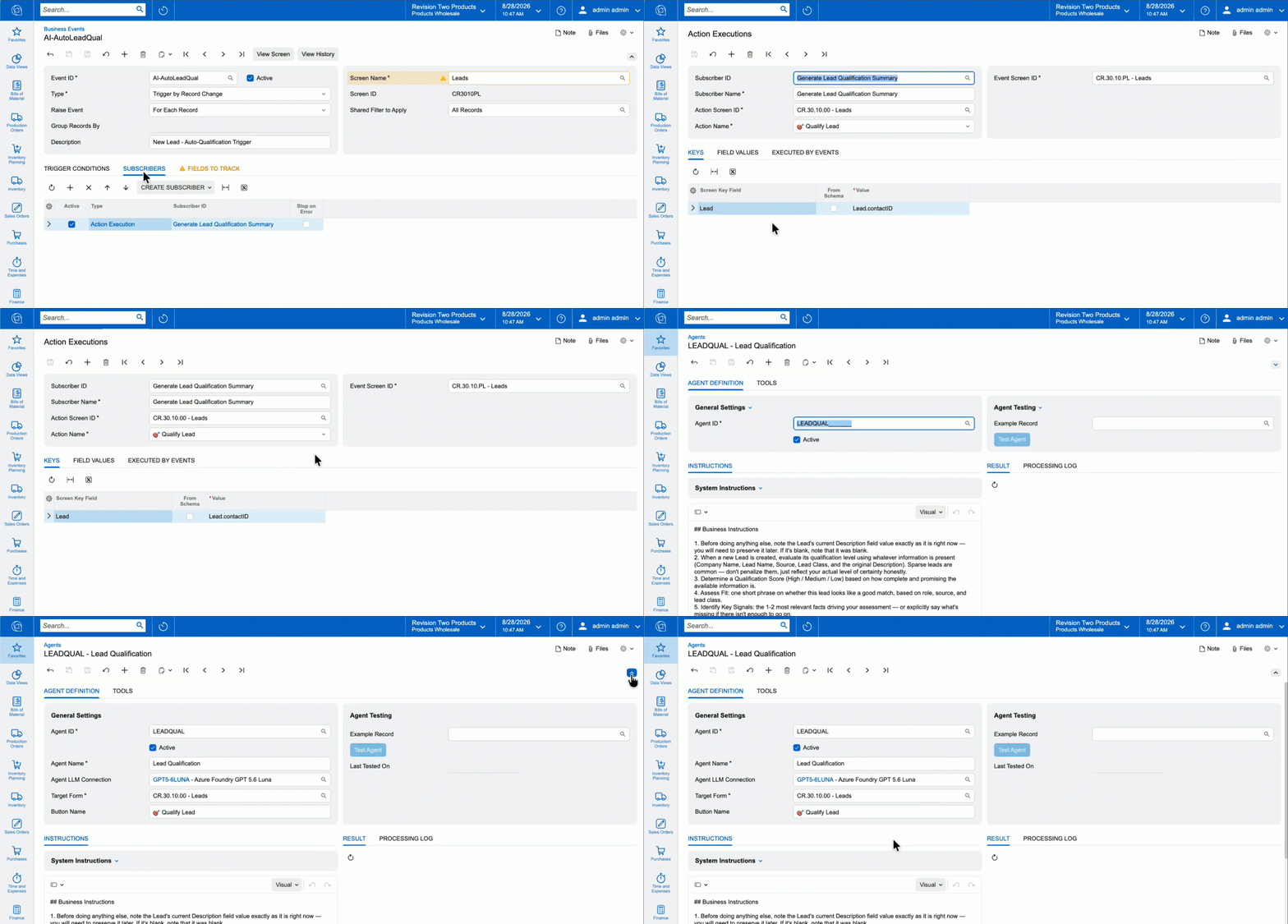
Give your teams AI agents that are simple to create and powerful when connected. Agents can start automatically through Business Events, Import/Export Scenarios, or workflows your teams already use. They draw on relevant ERP data to inform their reasoning, take precise action, and pass work to the next agent or automated step. Automate work such as adjusting prices to meet target margins, applying discounts, qualifying new leads, or assessing credit risk.
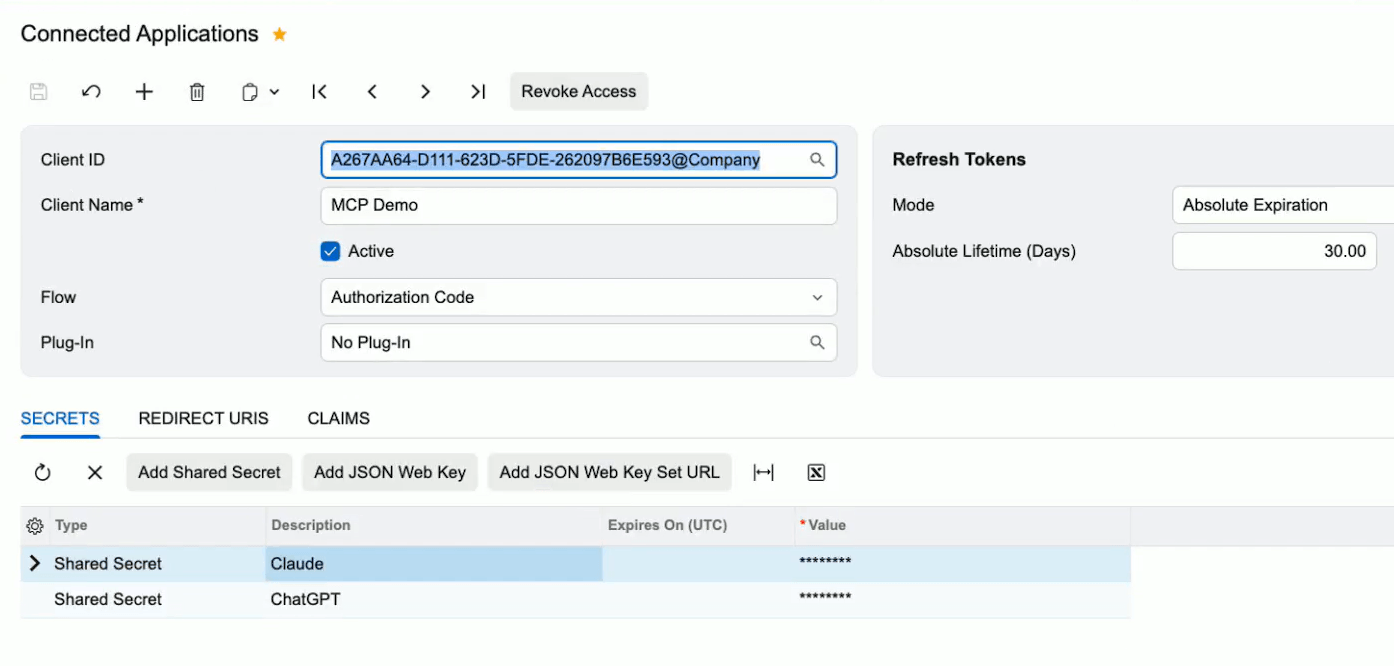
Give AI agents and external applications standardized read-only access to selected Acumatica ERP data. Administrators configure Model Context Protocol (MCP) servers and expose published Generic Inquiries as callable tools, so employees can ask assistants like Claude or ChatGPT questions and get answers drawn straight from Acumatica. Every request runs under the user's existing access rights and is logged, keeping data governed as AI use expands.
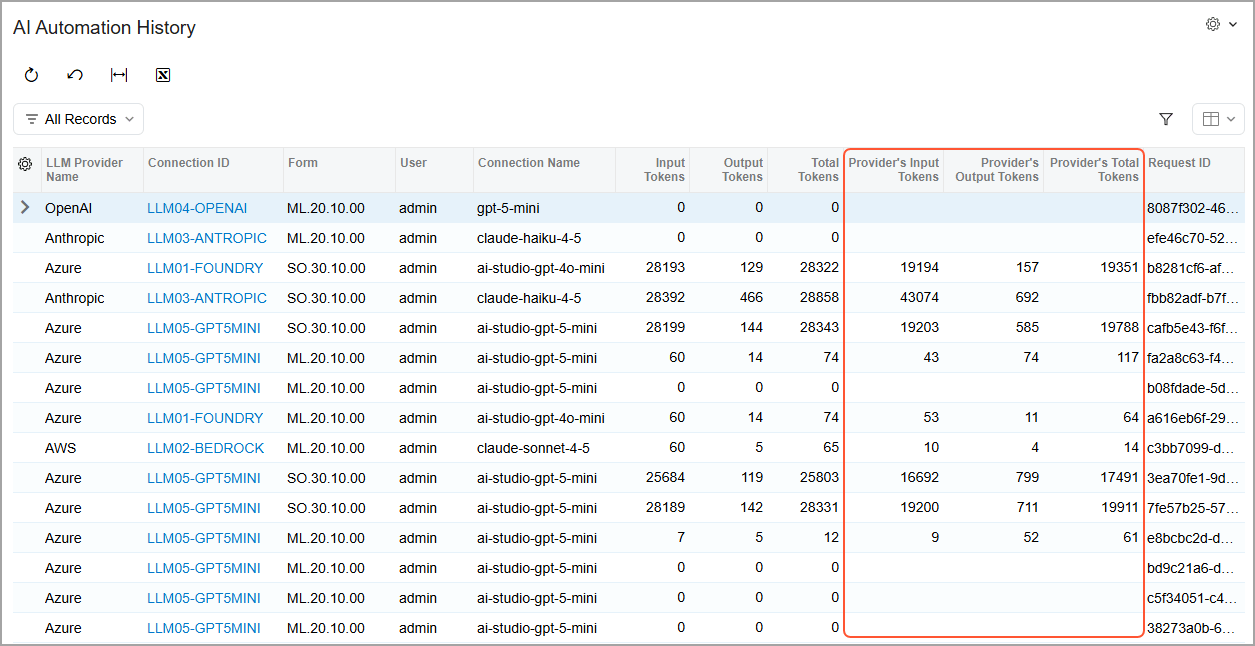
Mask selected fields from the current record before AI Automation sends information to an LLM, then restore the original values inside Acumatica. Expanded processing logs and provider-reported token counts give administrators greater visibility into the data exchanged, and usage across each automation.
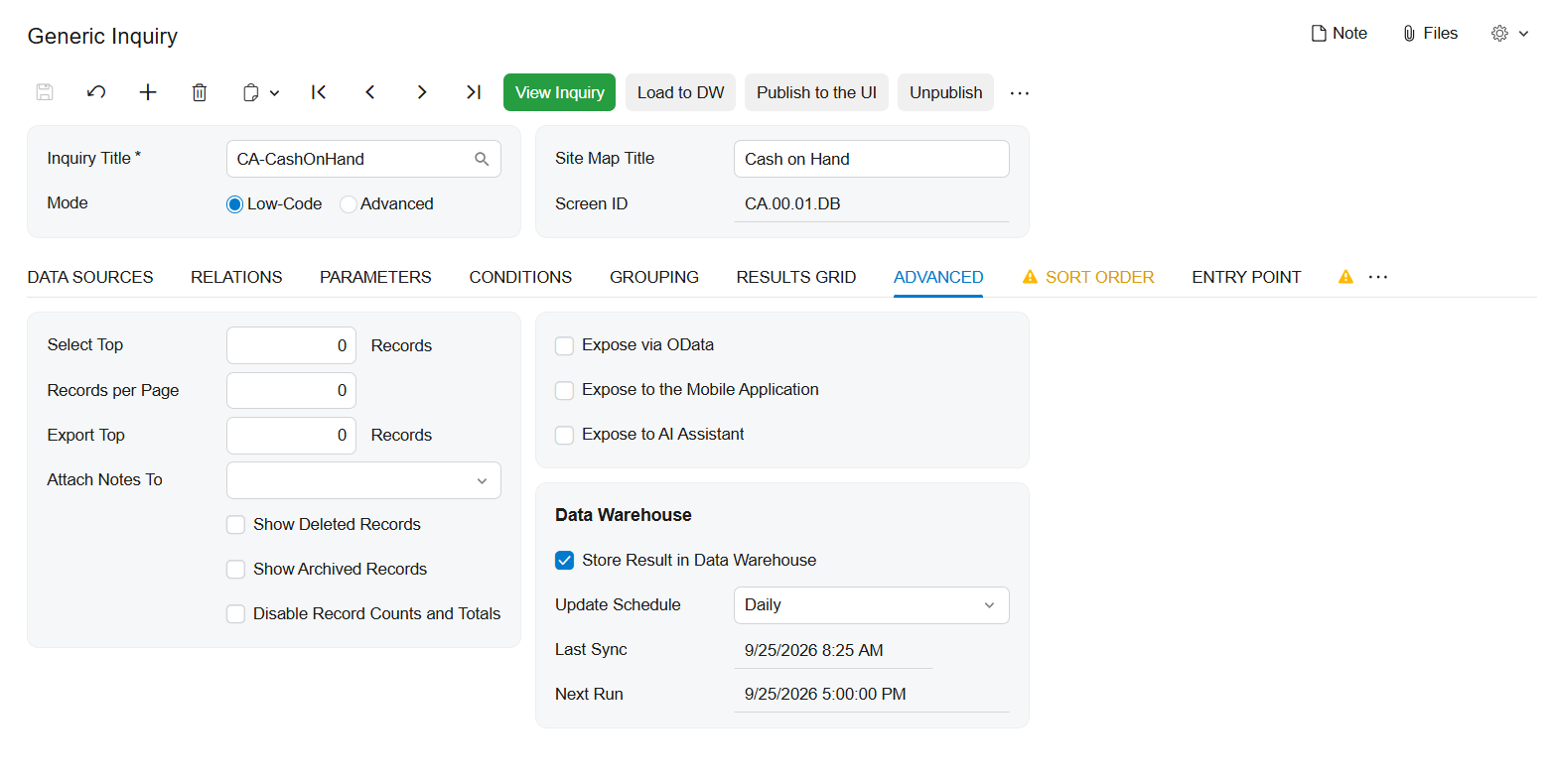
With Generic Inquiry Optimization, you can store the results of large, complex, or frequently accessed Generic Inquiries in a dedicated table instead of recalculating them with every request. Refresh results on a schedule or on demand, then reuse them across dashboards, OData, MCP, and pivot views. Grouped Table views organize inquiry results into expandable hierarchies with subtotals, totals, and calculated values—making complex information easier to analyze without rebuilding the inquiry in Report Designer.
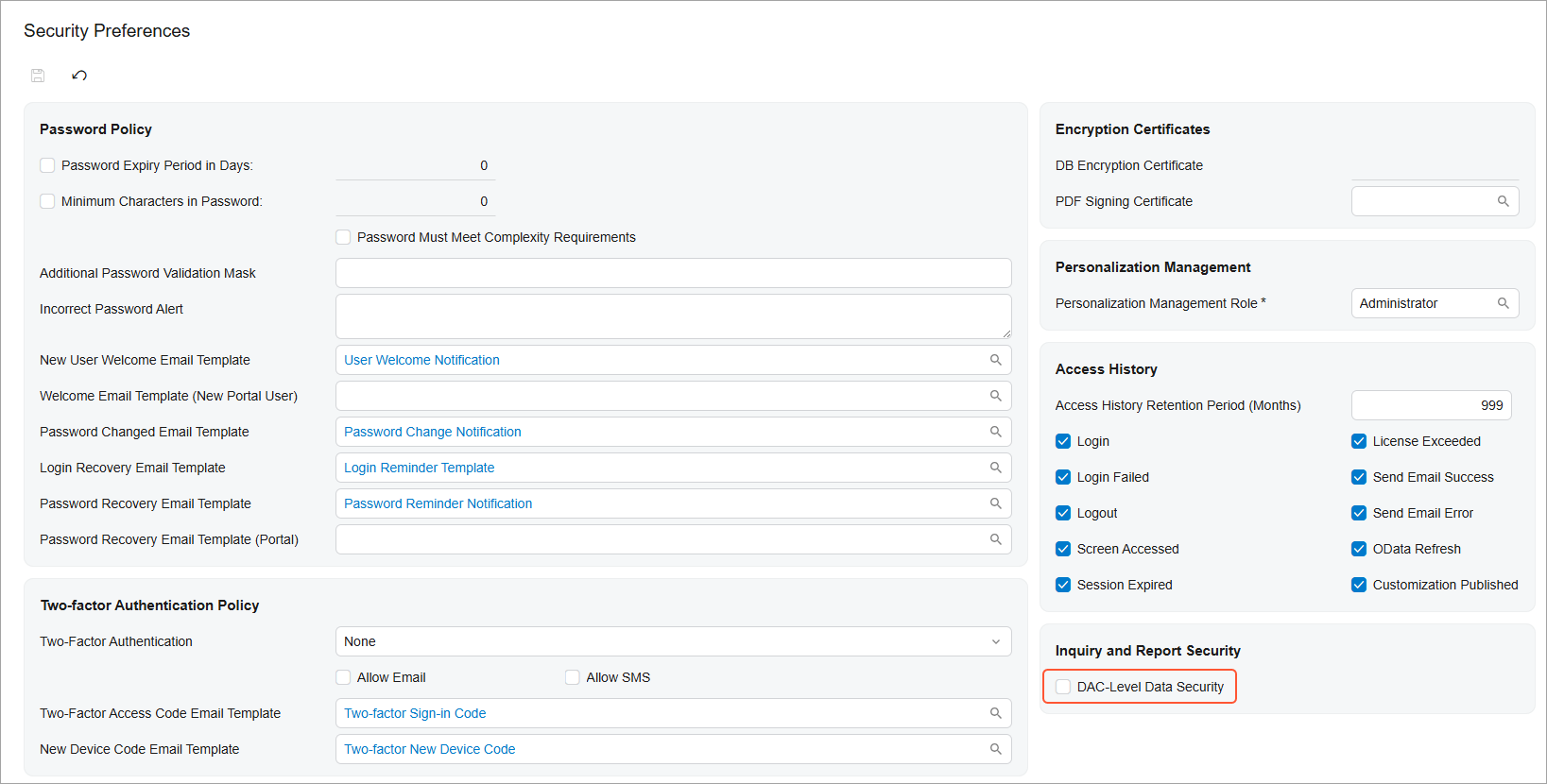
Give business users freedom to create their own Generic Inquiries while keeping restricted data protected. When enabled, DAC-level security uses existing screen-based permissions to control which Data Access Classes (DACs)—the underlying data objects used by Acumatica screens—are available in the Generic Inquiry form and DAC Schema Browser. Users can create inquiries while accessing only authorized data, and administrators gain greater visibility into how access is determined across data sources, screens, and roles.
Introduced over the past several releases, the Modern UI is now the default experience, while Classic-only screens remain accessible in 2026 R2 with advance warnings. Organizations can use this release to identify and migrate remaining Classic forms, dashboards, pivot tables, and customizations before Classic-only functionality is retired in the next 2027 R1 release.
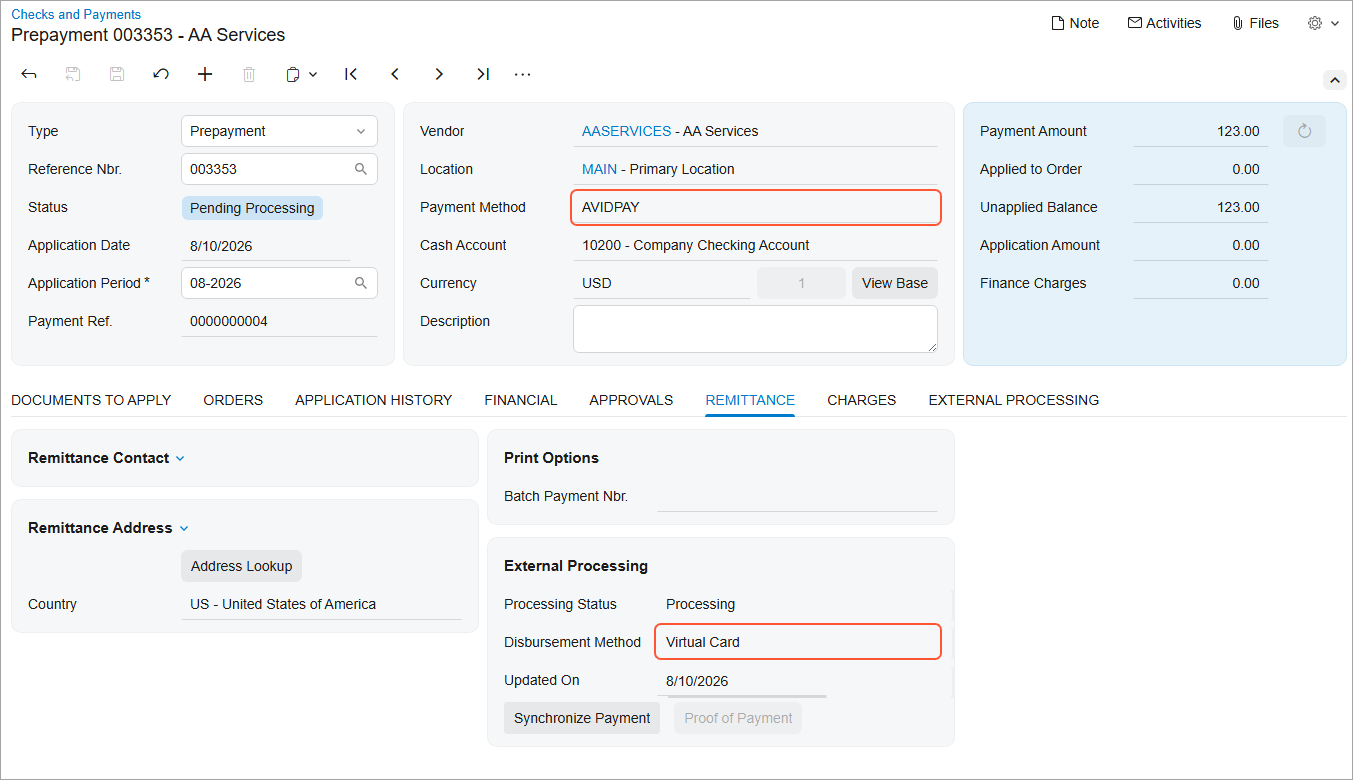
Prepare and send vendor payments through AvidXchange directly from Acumatica. AP Payments powered by AvidXchange delivers payments to U.S. vendors by virtual card, ACH, or check based on each vendor's payment preferences, eliminating the need to maintain vendor bank details in Acumatica. Track payment progress, synchronize status updates individually or in bulk, download proof of payment, and request that eligible payments be stopped—all while keeping payment activity connected to your accounts payable records.
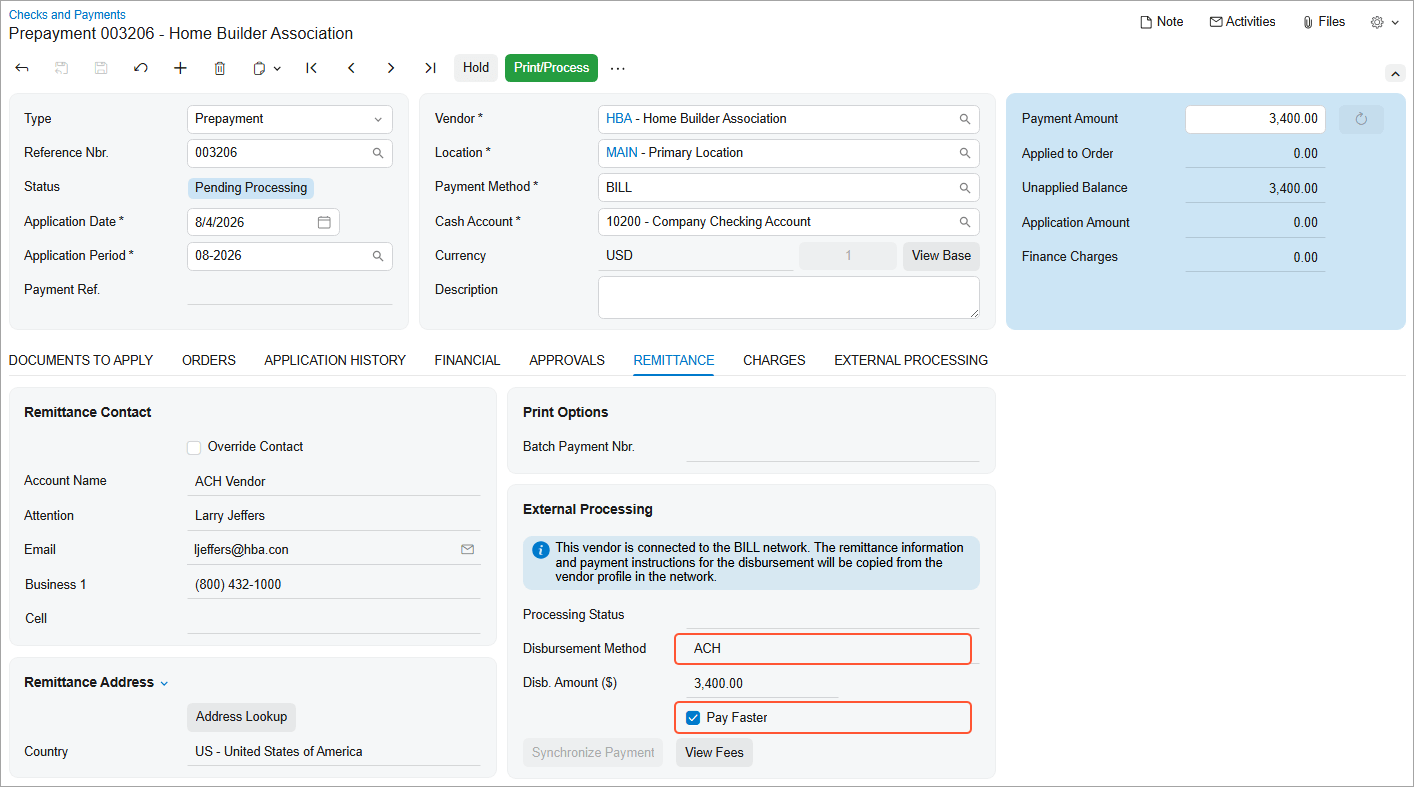
BILL's Pay Faster service now supports ACH payments in addition to checks, so U.S. vendor payments can reach their destination sooner when timing matters. For vendors outside the United States, you can now prepare and process payments on bills in foreign currencies — not just USD — with exchange-rate and disbursement details shown right in the payment.
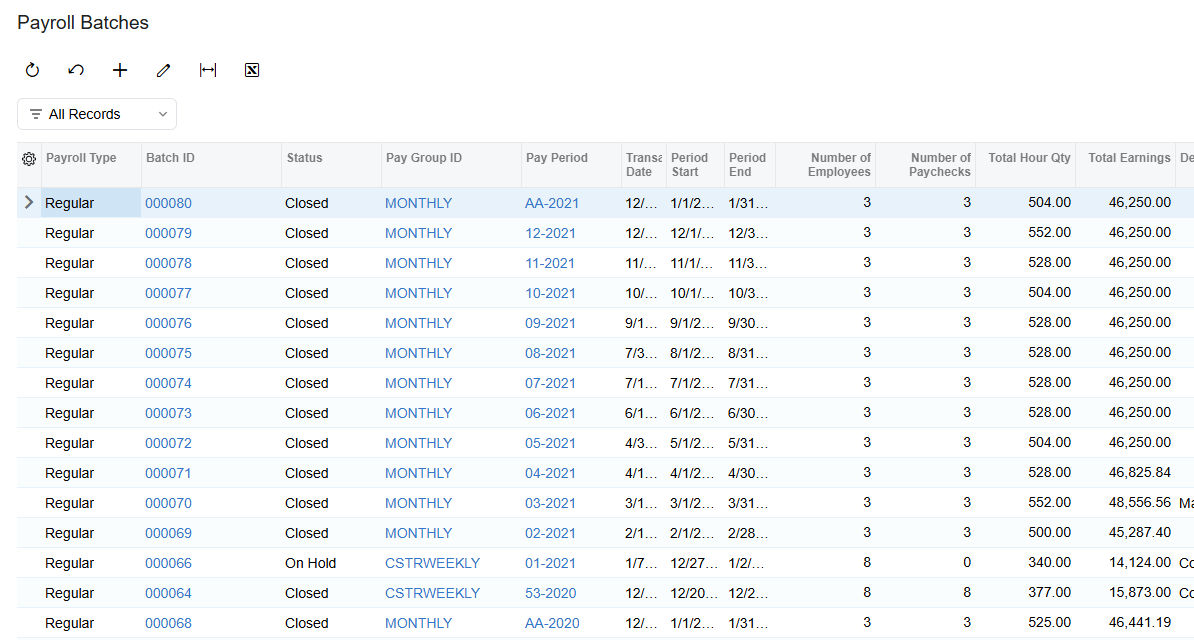
Complete payroll processing sooner with faster paycheck calculations and batch releases. Performance improvements reduce processing time by up to 63%, with organizations processing hundreds of paychecks seeing the greatest benefits. Payroll teams can reduce wait times and complete large payroll runs faster without changing their existing workflows or compromising calculation accuracy.
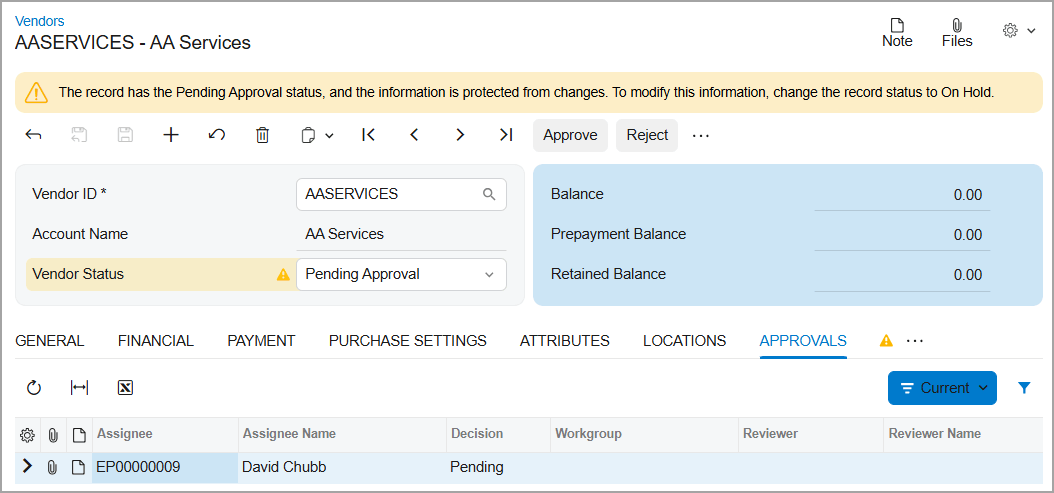
Configure an approval workflow for vendor creation and updates so new or changed vendor records stay unavailable for purchasing or AP documents until the required approvals are complete — keeping unverified vendor data out of your financial processes.
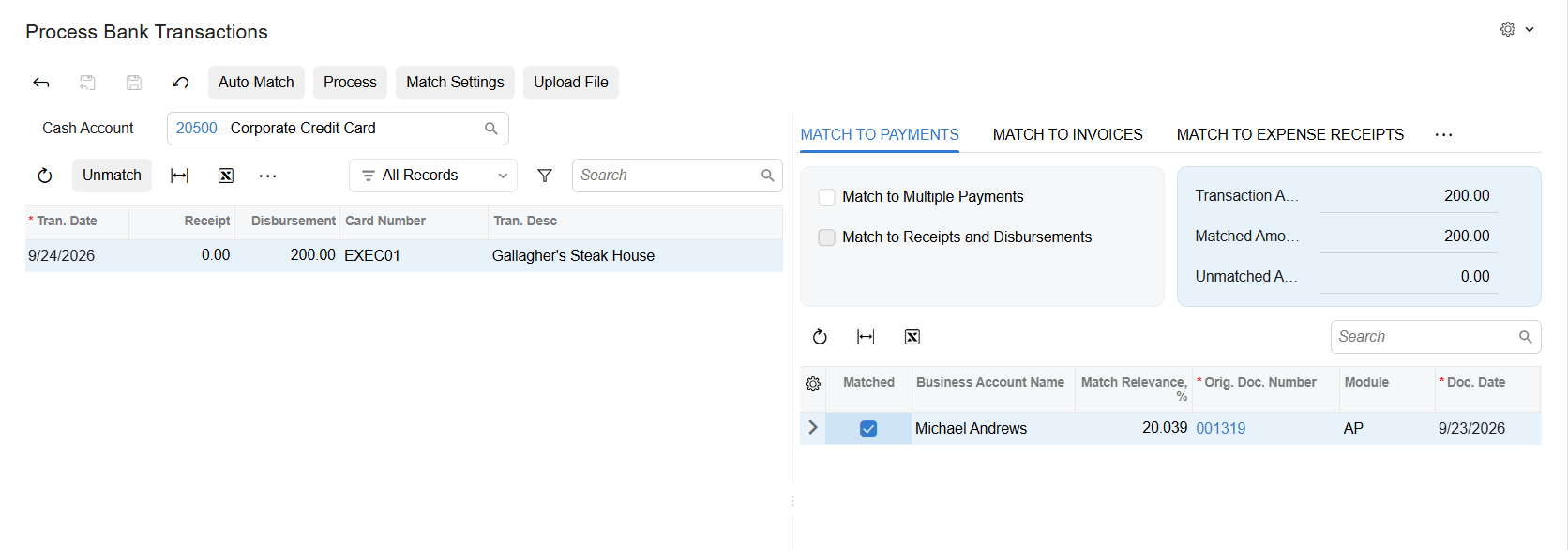
Every time you manually match a bank transaction to a document and confirm it, the system remembers the relationship between the cash account, the payee value from your bank, and the vendor or customer you matched it to. The next time that payee appears, the matching document gets a stronger match automatically — so the same manual work doesn't repeat itself month after month.
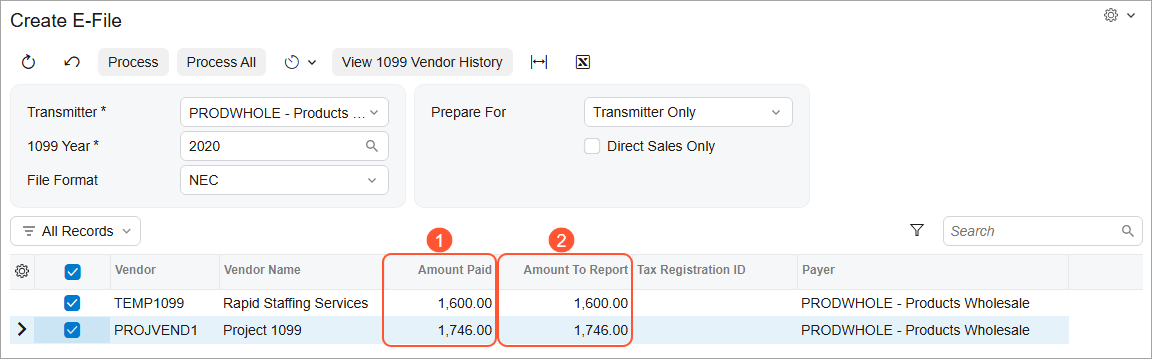
Prepare for the IRS transition from Filing Information Returns Electronically (FIRE) to the Information Returns Intake System (IRIS) for the 2027 filing season. Acumatica's Create E-File process now generates CSV files formatted for IRIS instead of FIRE, for both 1099-MISC and 1099-NEC, with new vendor and company fields required for IRIS filing.
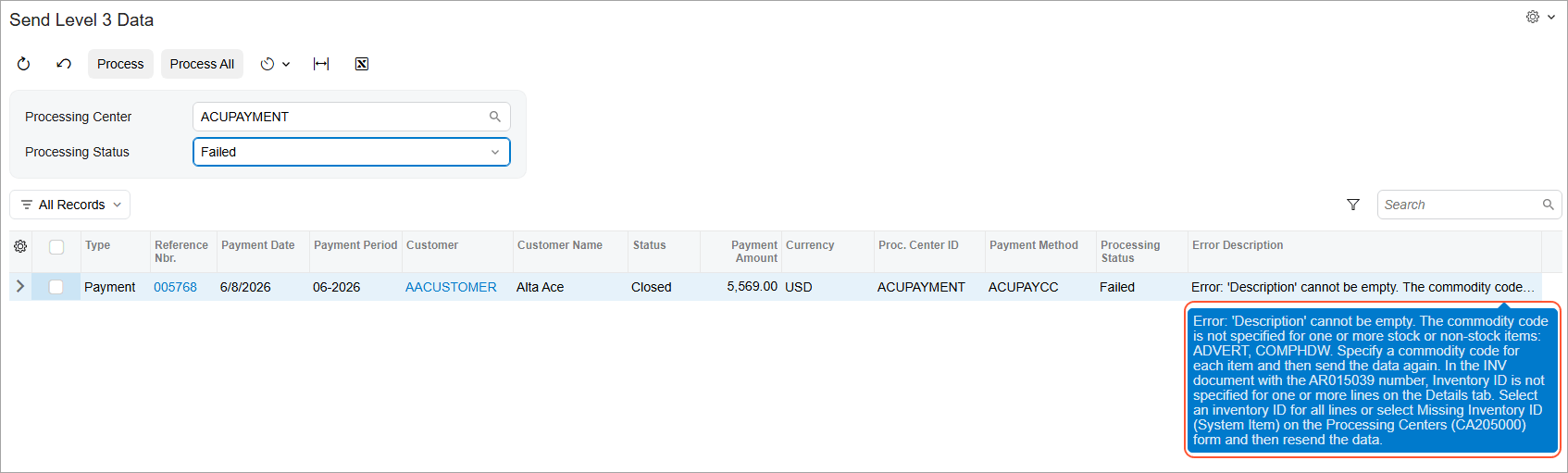
Enhancements to Level 3 card payment processing help you transmit more accurate payment data, preserve fee discounts, and handle more real-world scenarios — partial applications, discounts, negative lines, currency conversion, and pay-by-line processing — with clear, actionable errors when data is incomplete.
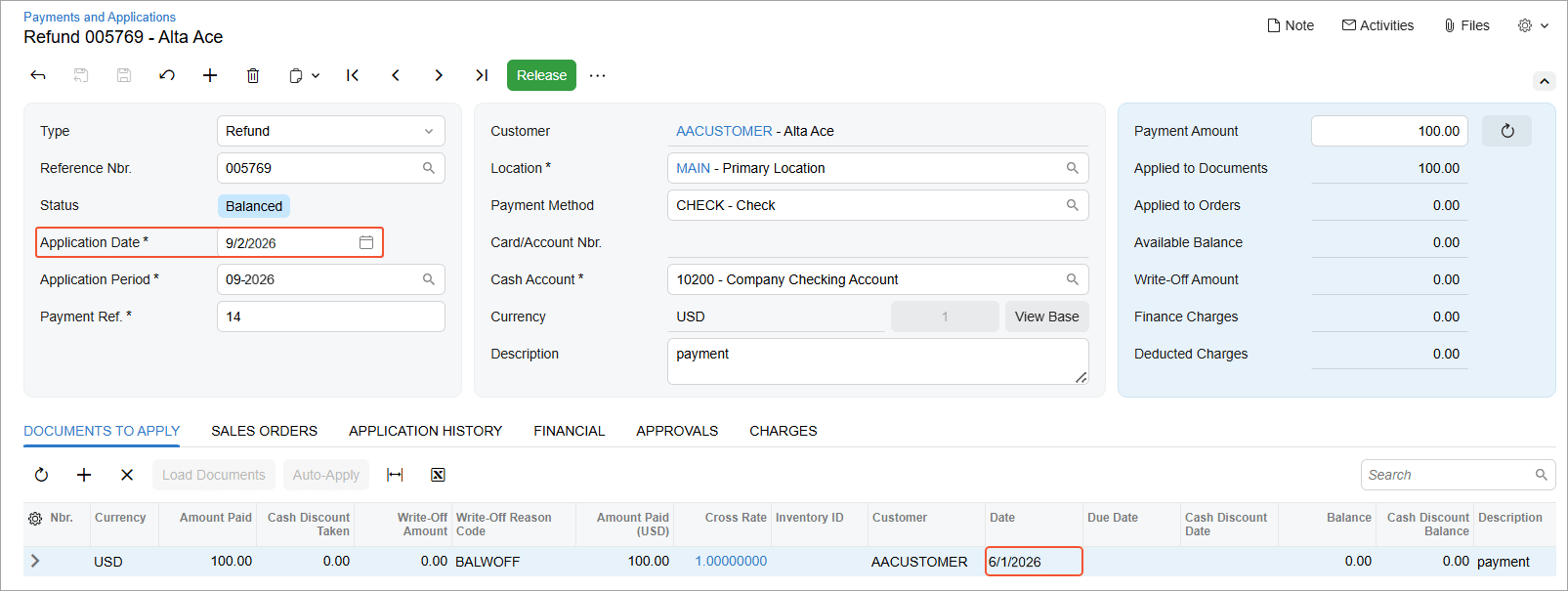
Process customer refunds even when the original payment was released in an inactive, locked, or closed financial period. Acumatica automatically assigns the current business date and corresponding open financial period to the refund, eliminating the need to reopen the original period while maintaining established period controls.
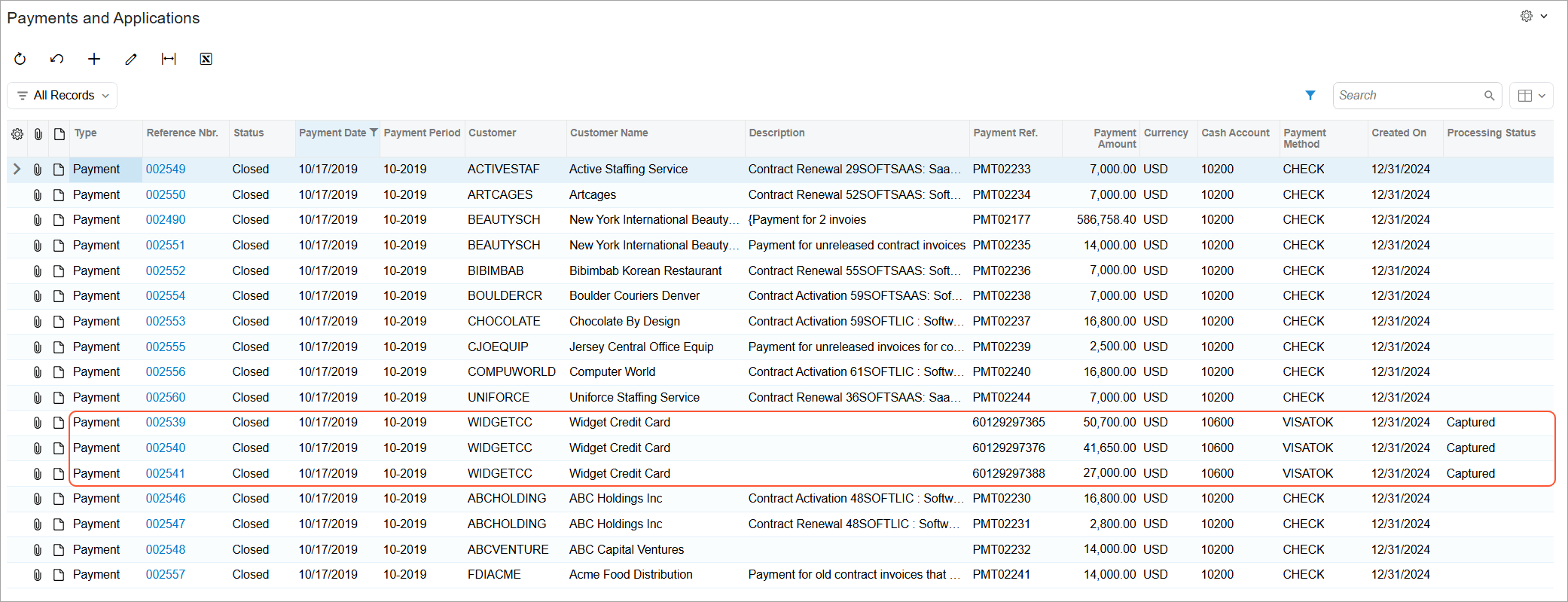
Monitor and act on credit card and ACH payment statuses across Acumatica. Because processing status is now stored with each payment, teams can use it to filter Generic Inquiries and reports or trigger business events when a payment reaches a specific status. New expiration warnings also flag pre-authorized payments that need attention, helping teams identify exceptions earlier, automate follow-up, and keep payments moving.
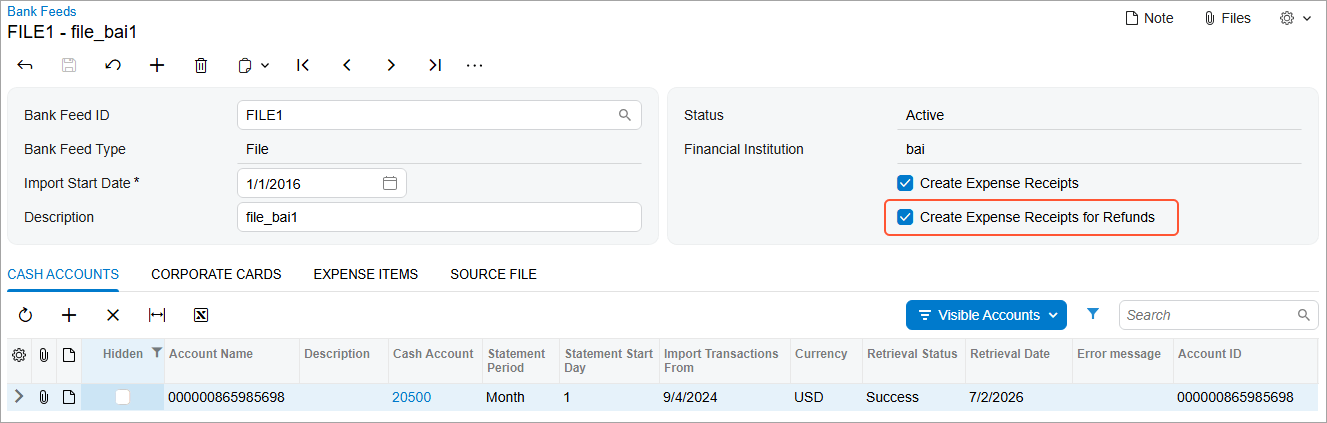
When a corporate card transaction comes through as a refund or return, Acumatica can now create the corresponding expense receipt automatically, the same way it already handles regular charges — eliminating a manual step that used to precede every refund claim.
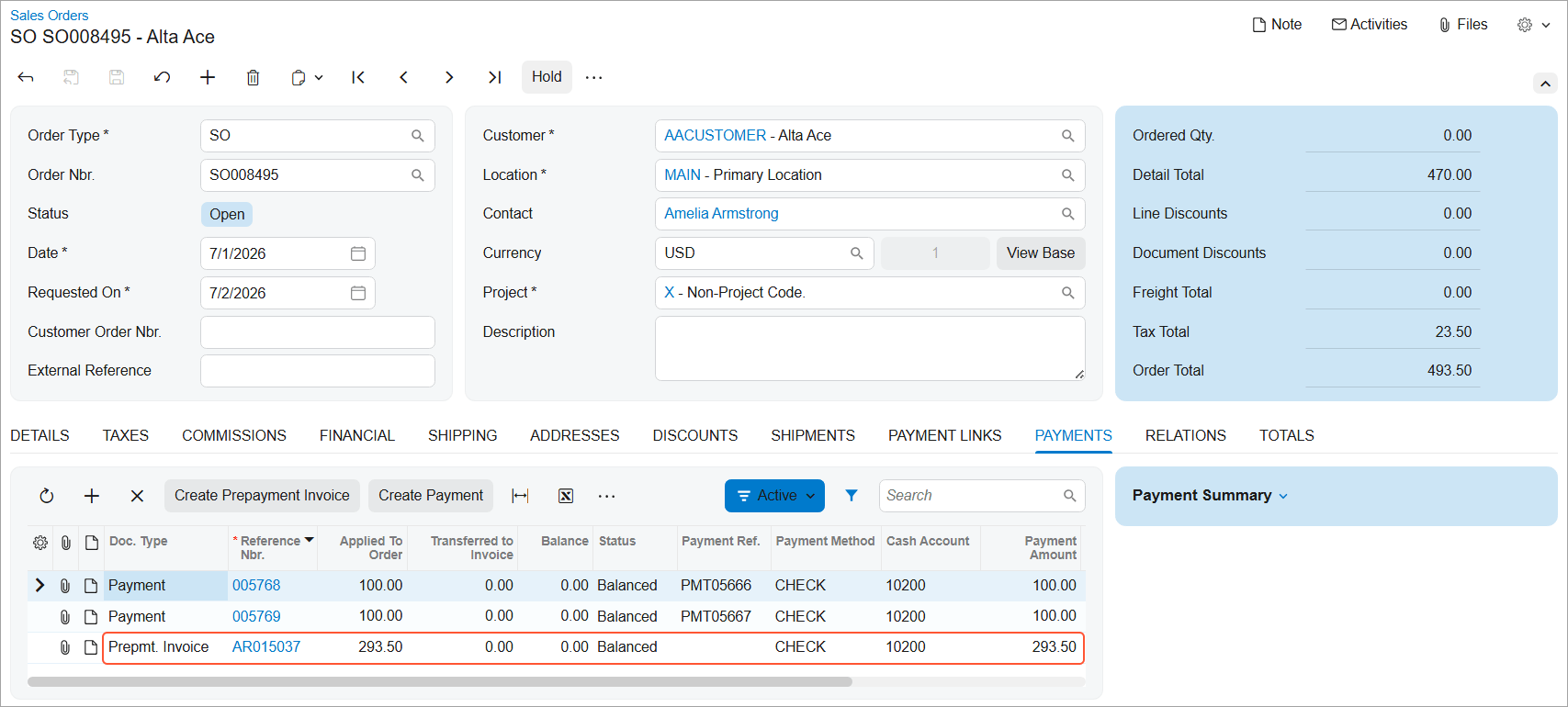
Create a prepayment invoice for a sales order that already has a payment or prepayment applied — one imported from an external system — and automatically link that payment to the new invoice. This works for a single sales order or a full batch.
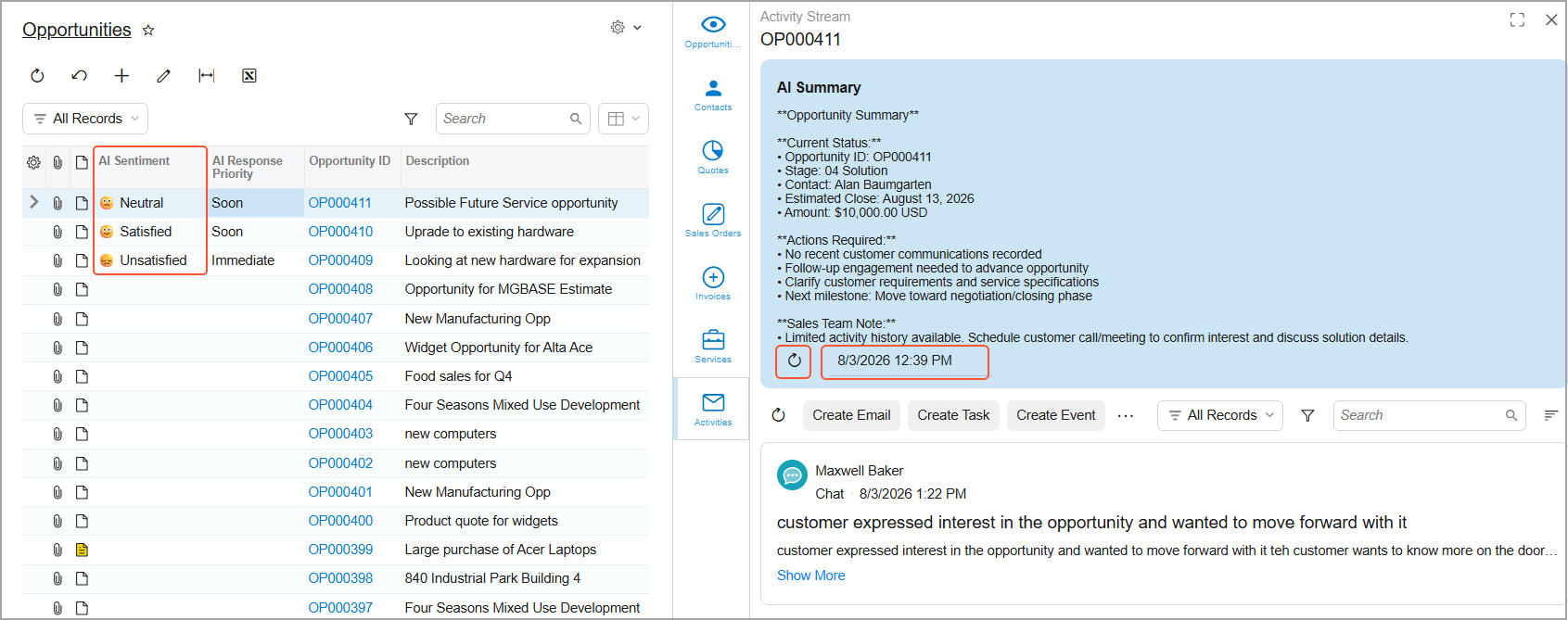
Spend less time reviewing emails and activities to decide where to respond first. AI highlights opportunities and cases that need attention, helping sales and service teams prioritize their work and respond more quickly. Open the Activity Stream to review customer sentiment, a summary of recent communications, suggested next steps, and a suggested reply—all in one place.
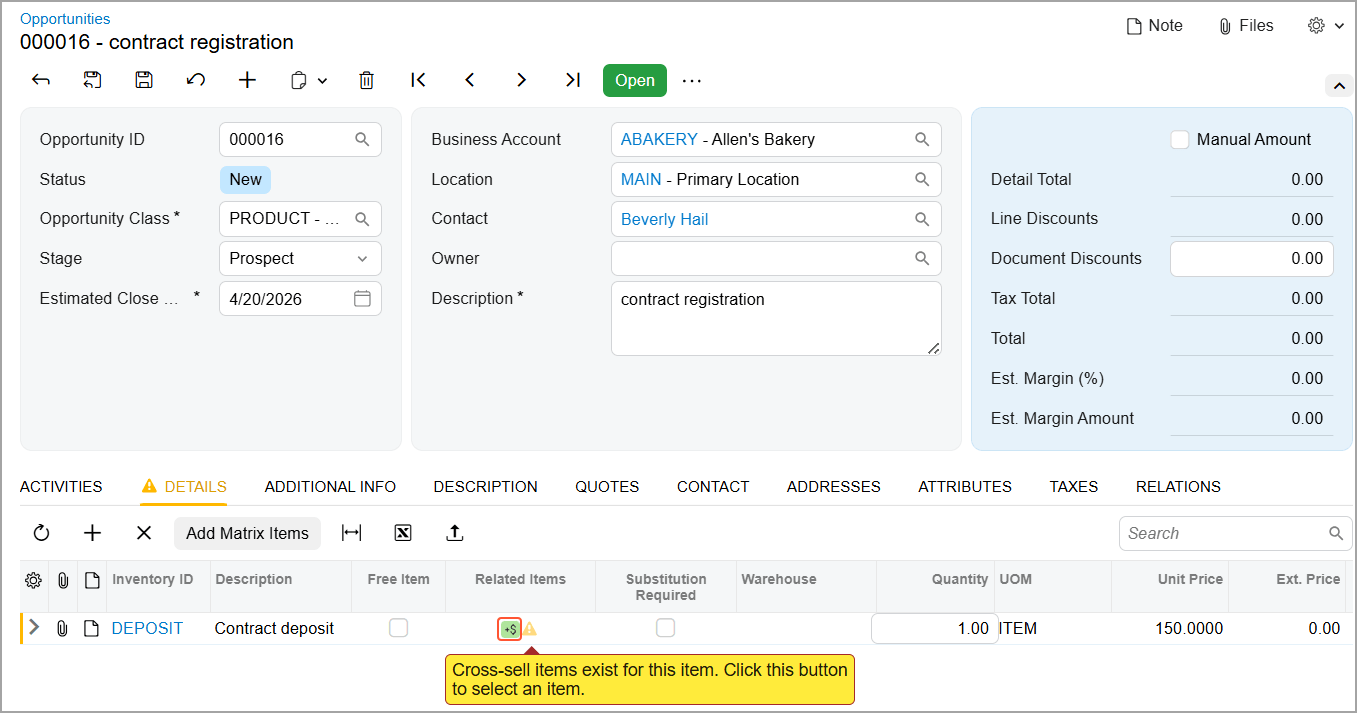
Offer customers relevant substitutes, higher-value upsells, complementary cross-sells, and other related products or services earlier in the sales process. Related-item suggestions, including ML-generated cross-sell and upsell recommendations, appear in opportunities, sales quotes, and project quotes, where representatives can review price, quantity, and availability and add items without leaving the workflow. When a related item is substituted or added, the Related Item History inquiry shows which document made the final change—so you can trace the sale back to its origin.
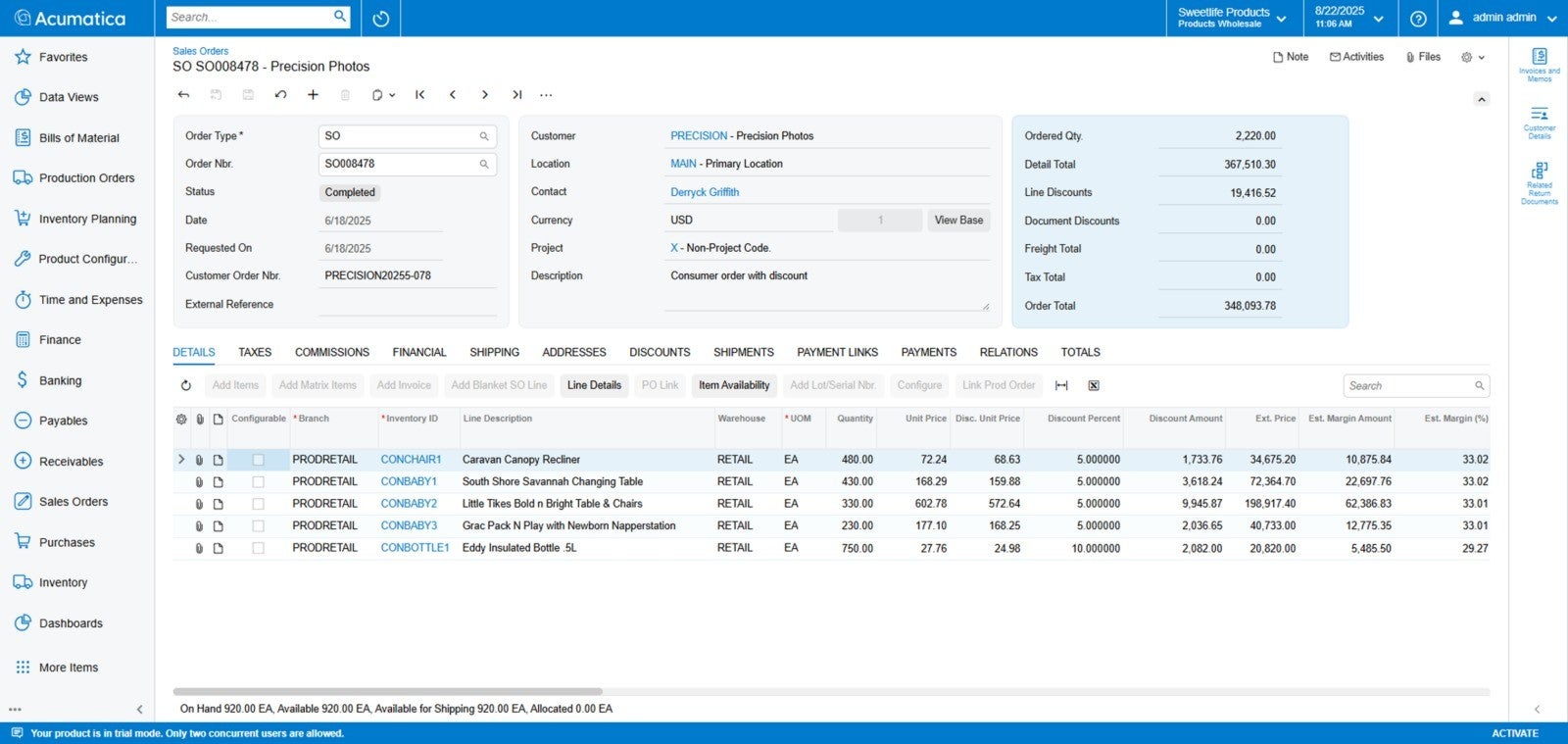
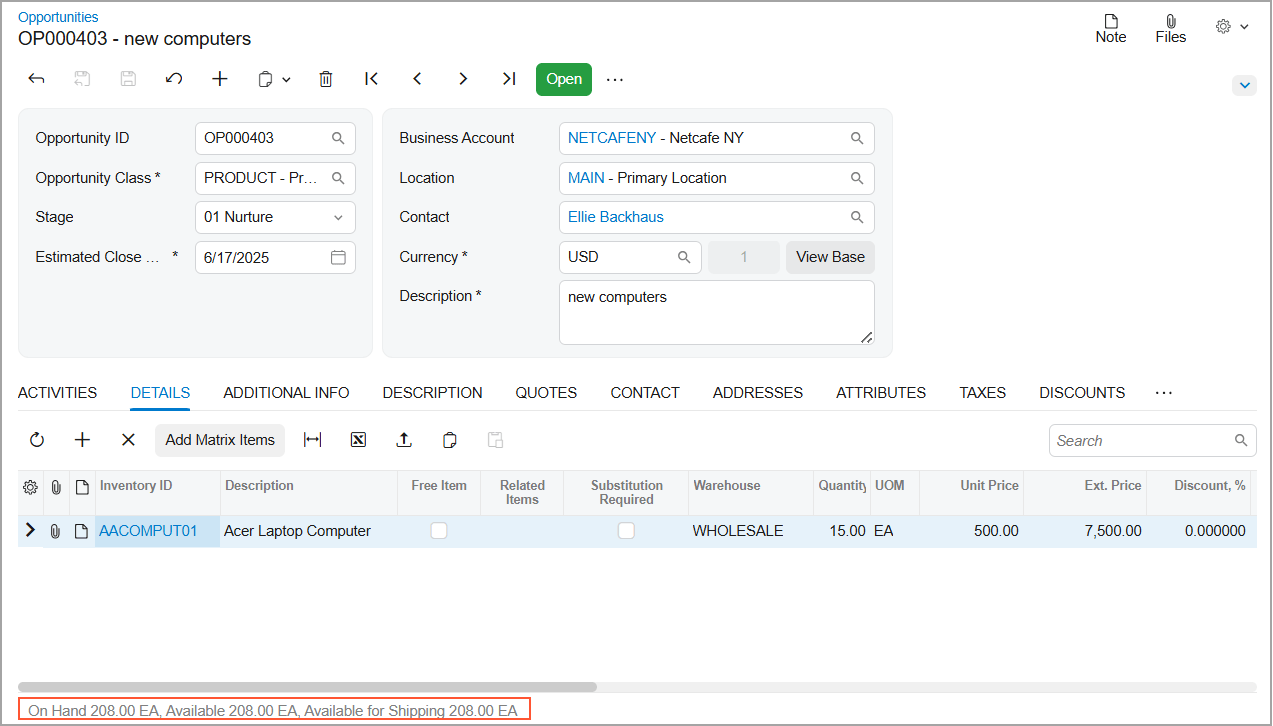
Answer customer availability questions faster with real-time inventory information displayed directly in opportunities and sales quotes, just like sales orders. View On Hand, Available, and Available for Shipping quantities for stock items in the table footer, reducing manual checks and helping you make confident pricing and commitment decisions without interrupting the sales workflow.
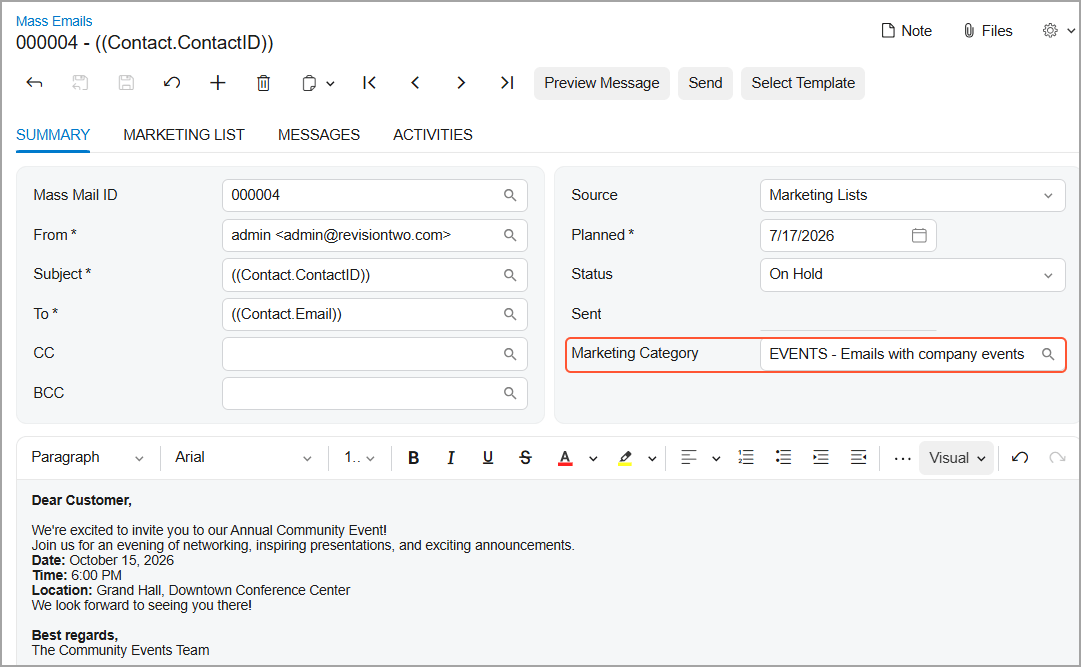
Organize mass emails into marketing categories, and CRM will automatically manage recipient preferences for each one. Link categories to SendGrid unsubscribe groups so Acumatica can reflect subscription changes in CRM records and apply preferences automatically during mass email processing. Recipients can unsubscribe from one category while continuing to receive others — helping teams send more relevant communications, reduce manual preference management, and support email compliance.
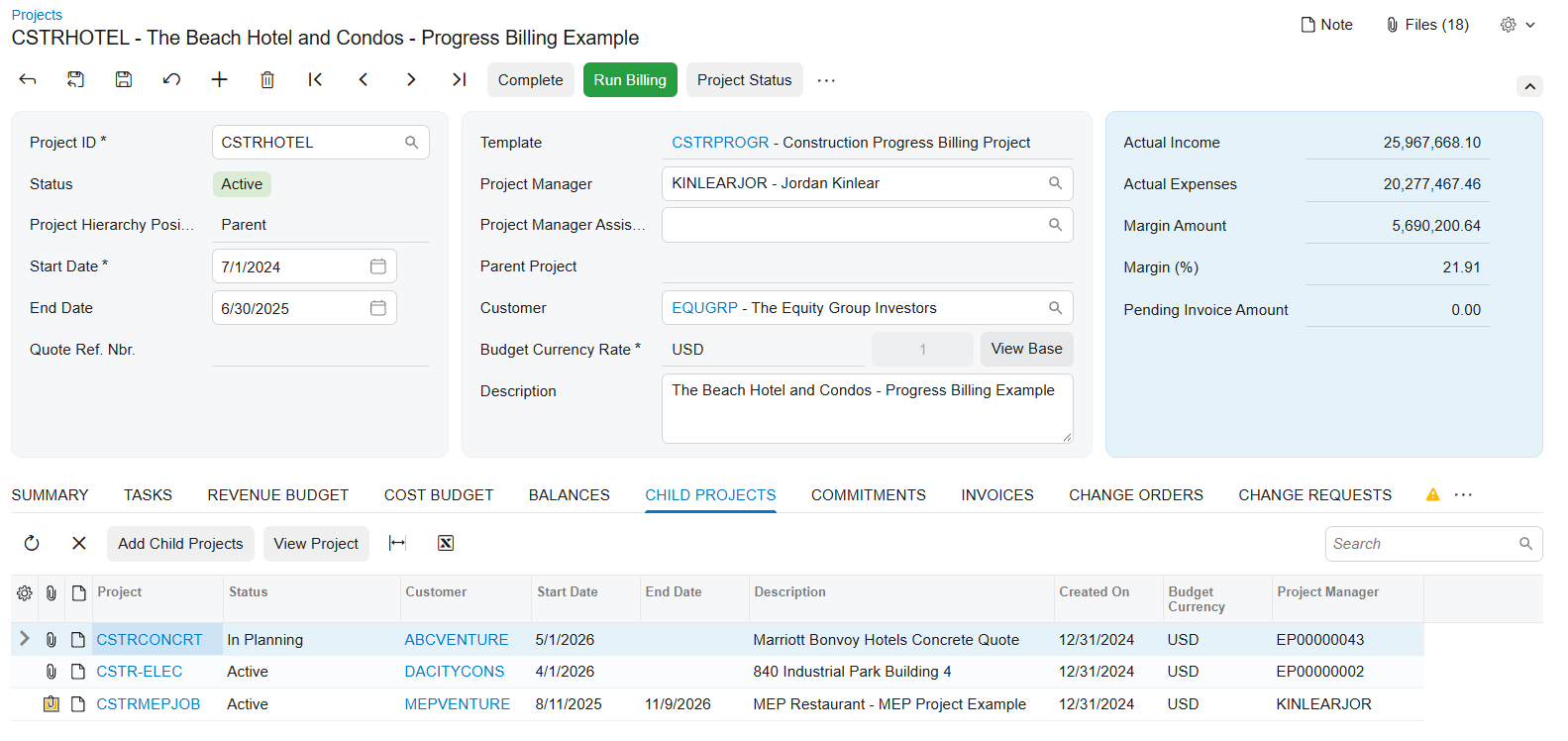
Vincula proyectos, fases, ámbitos de trabajo, edificios, emplazamientos o centros de coste internos en una jerarquía de tipo «padre-hijo». Factura al cliente el trabajo de todos los proyectos «hijos» a través del proyecto «padre», o consolida los datos de los proyectos «hijos» en el proyecto «padre» para la elaboración de informes, al tiempo que facturas por separado a los clientes de cada proyecto «hijo». En cualquier caso, agrupa las transacciones seleccionadas en el proyecto «padre» sin crear duplicados.
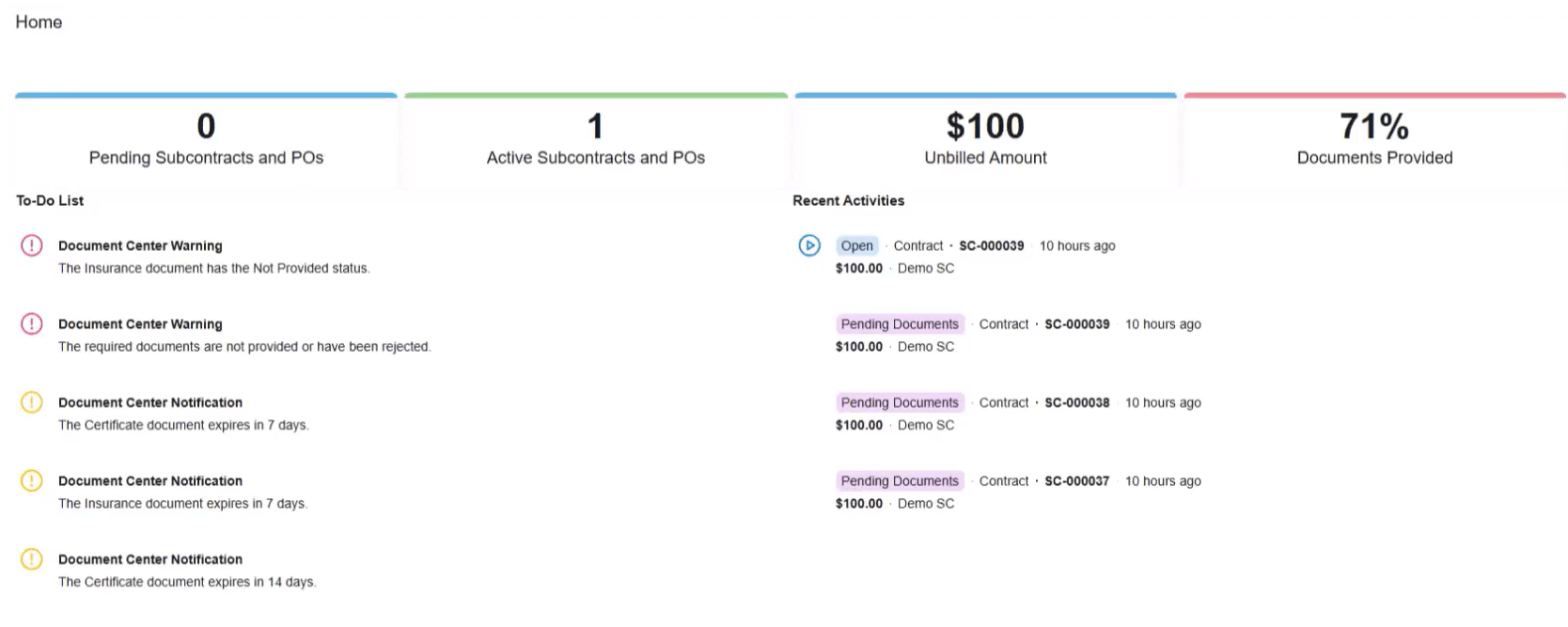
Construction Exchange ofrece a los proveedores y subcontratistas un acceso autogestionado y controlado a la información relacionada con el proyecto. Pueden consultar los contratos de subcontratación y las órdenes de compra, enviar documentos y supervisar el estado de tramitación, sin necesidad de llamar por teléfono ni enviar un correo electrónico al equipo del proyecto.
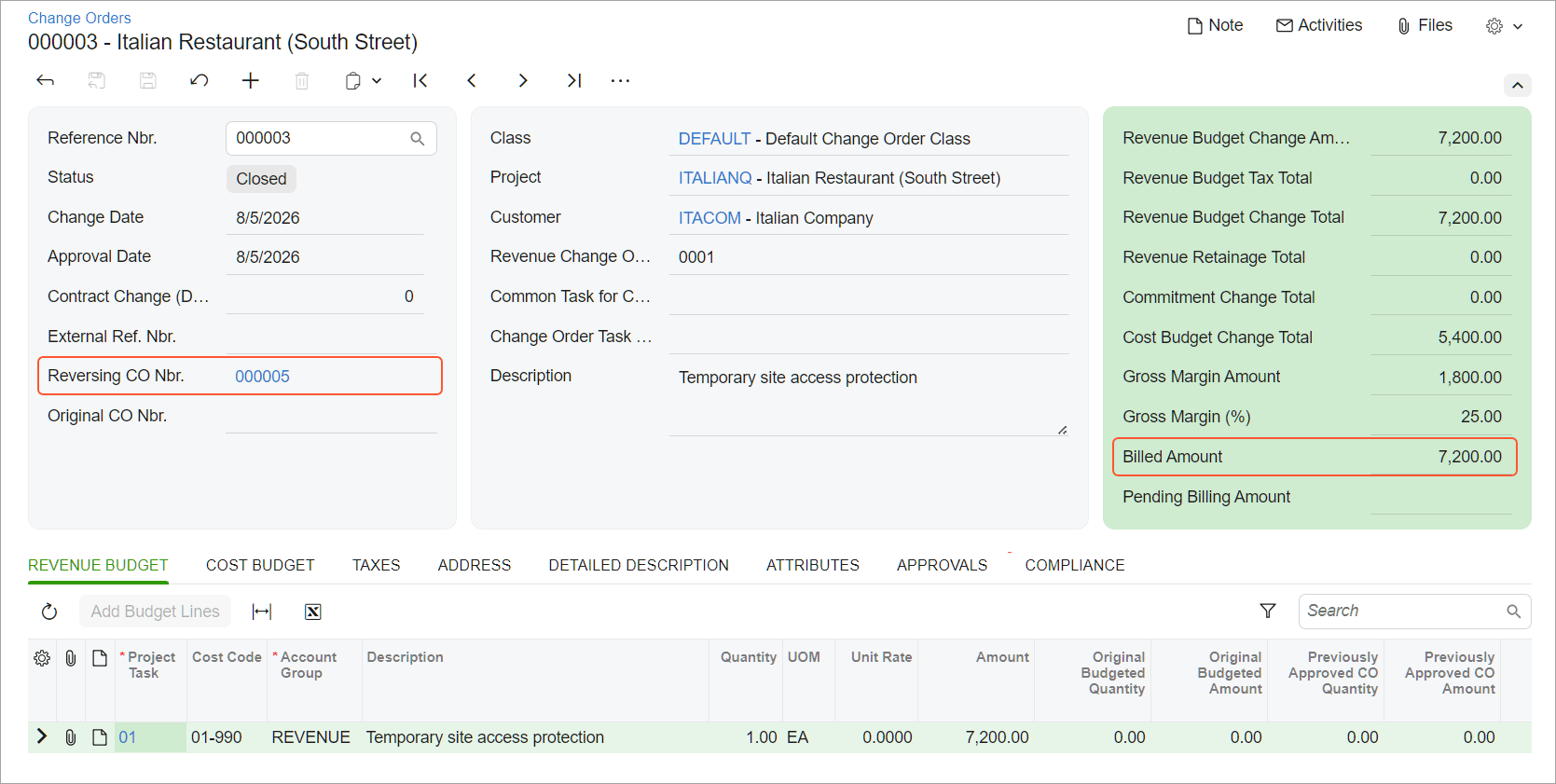
A cluster of enhancements gives you tighter control over two-tier change management from estimate to final billing. Choose whether change request pricing comes from unit cost and markups or from sales prices and price books. Identify affected purchase orders and subcontracts earlier by attaching existing commitments directly to a change request. See a complete tax breakdown for a project change before the change order is even created. And track exactly how much of a change order has been billed versus what's still pending, even when the same revenue budget line spans multiple change orders.
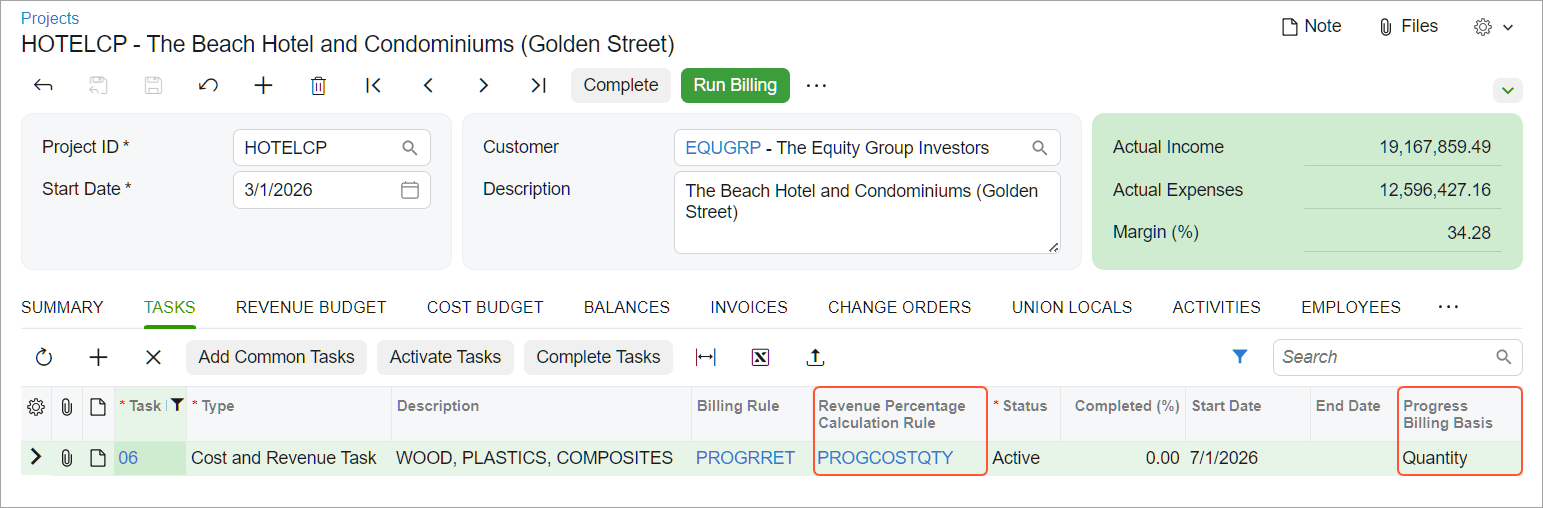
Registra las cantidades completadas en las líneas del presupuesto de ingresos de las hojas de trabajo de progreso, y deja que el sistema calcule un porcentaje de finalización recomendado a partir de la cantidad de trabajo completado para el cliente o de las cantidades utilizadas para realizar el trabajo. Revisa el progreso de los ingresos y los costes en paralelo en el Informe de progreso del proyecto.
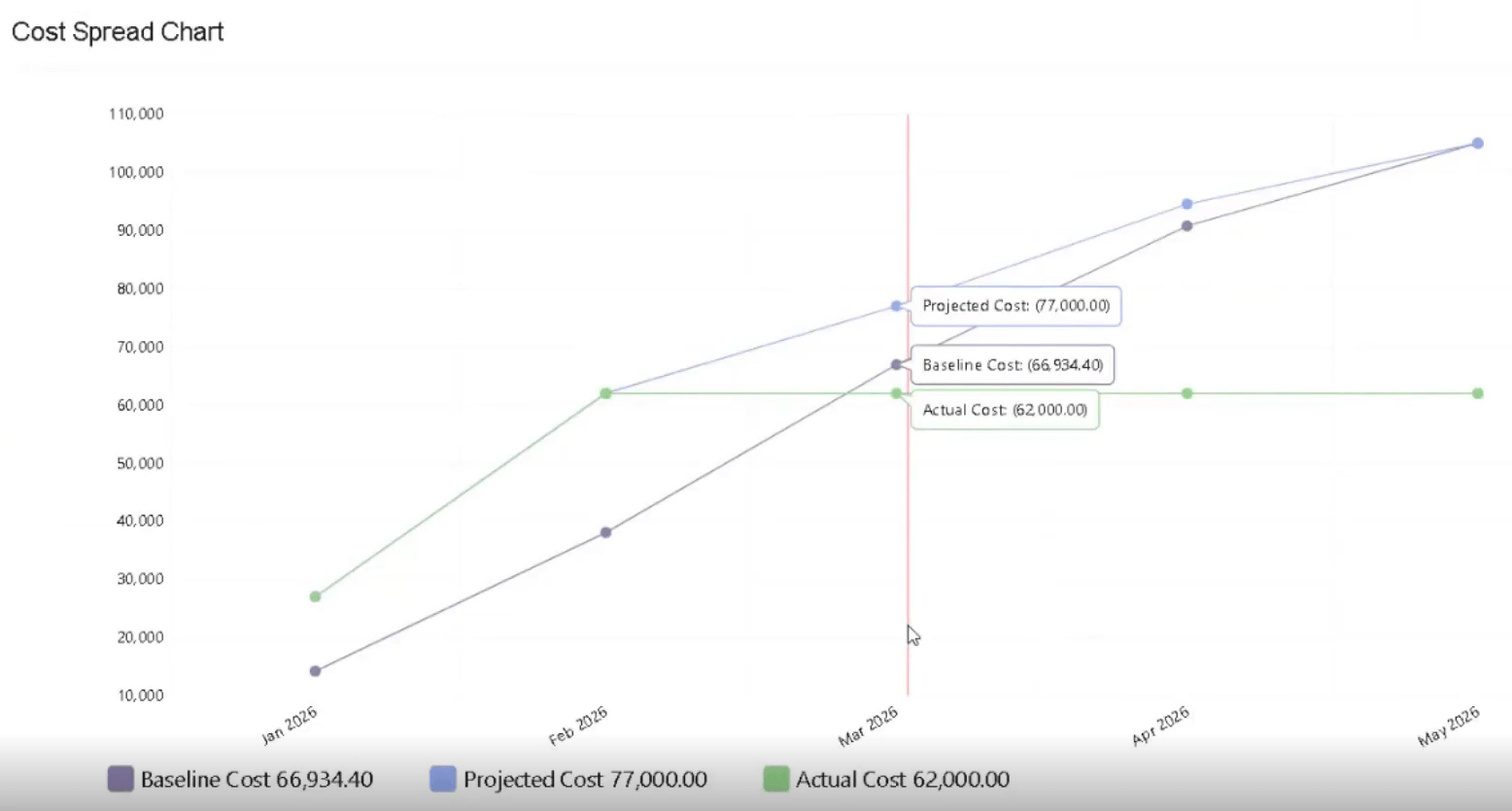
Construction spending rarely follows a straight line. Spread projected costs across your project timeline using a front-loaded, back-loaded, bell, or linear S-curve, then compare baseline, projected, and actual costs month by month, giving project managers and foremen a clearer view of what's coming.
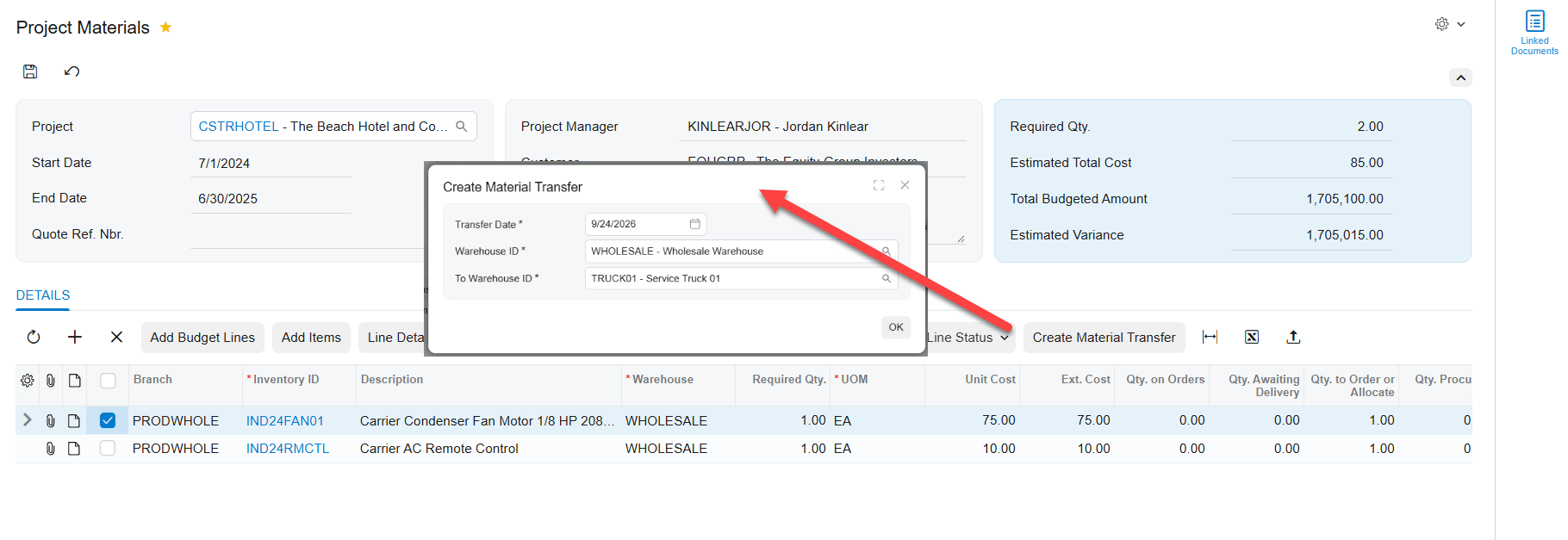
Create material transfers straight from your project materials list to move goods to the right warehouse or location before work begins. Project, task, cost code, and inventory source carry forward automatically, and you can process transfers through your standard warehouse workflow.
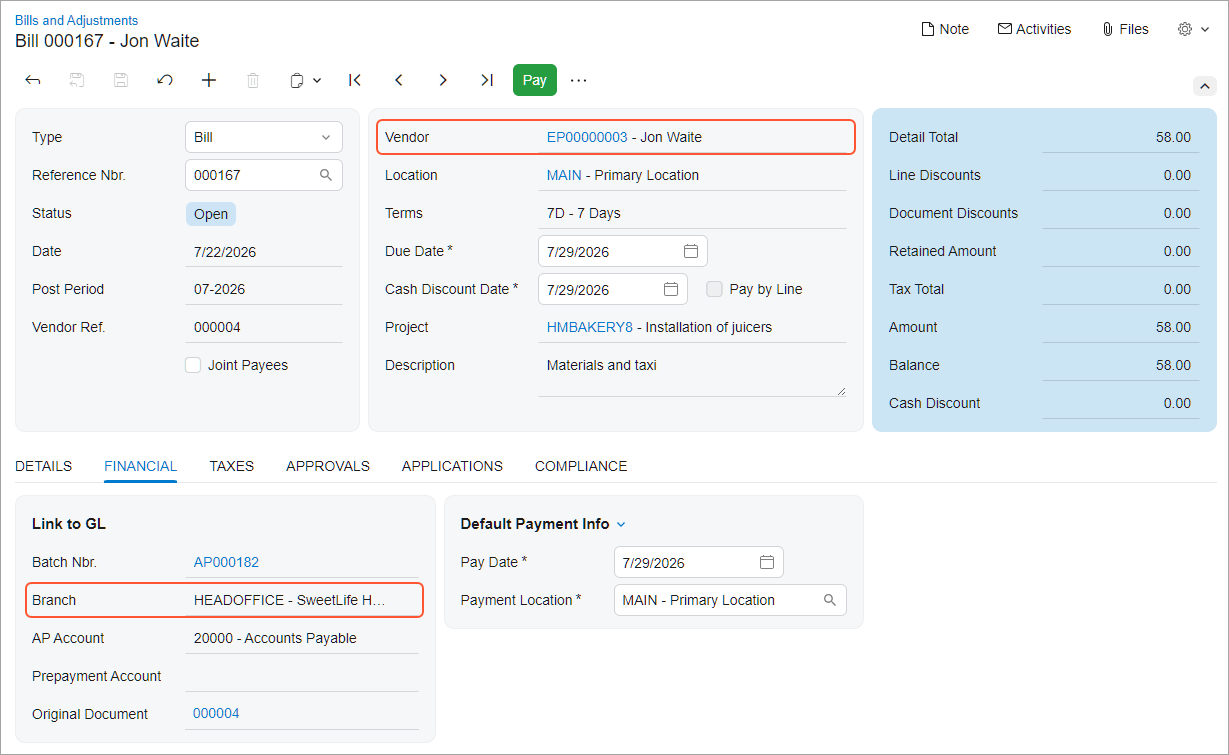
Submit expenses for a project in another branch, but make sure the cost lands on the project's branch while the liability stays with the employee's branch. Keep project and GL transactions aligned to the correct project branch, and choose whether the system defaults the branch automatically, warns on a mismatch, or blocks the release. Time cards, time activities, and equipment time cards can now record project costs under the project's branch while keeping liabilities under the right employee or user branch
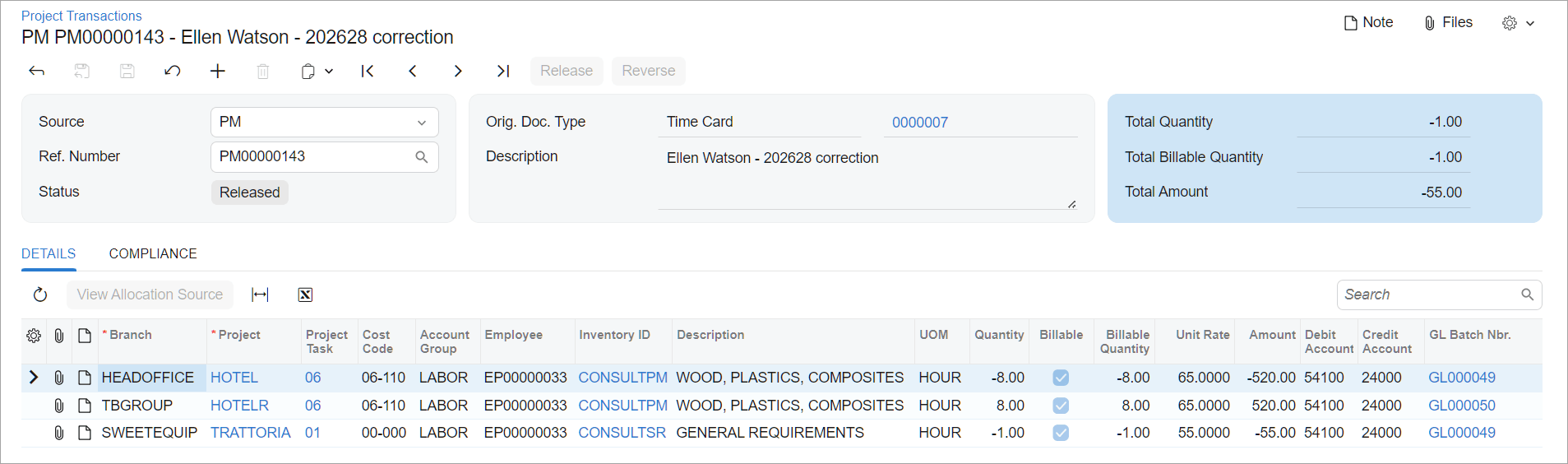
Move costs to the right project or task without reversing and recreating transactions by hand. Find eligible project transactions on the new Reclassify Project Transactions form and update their project, task, or accounting details in a few clicks.
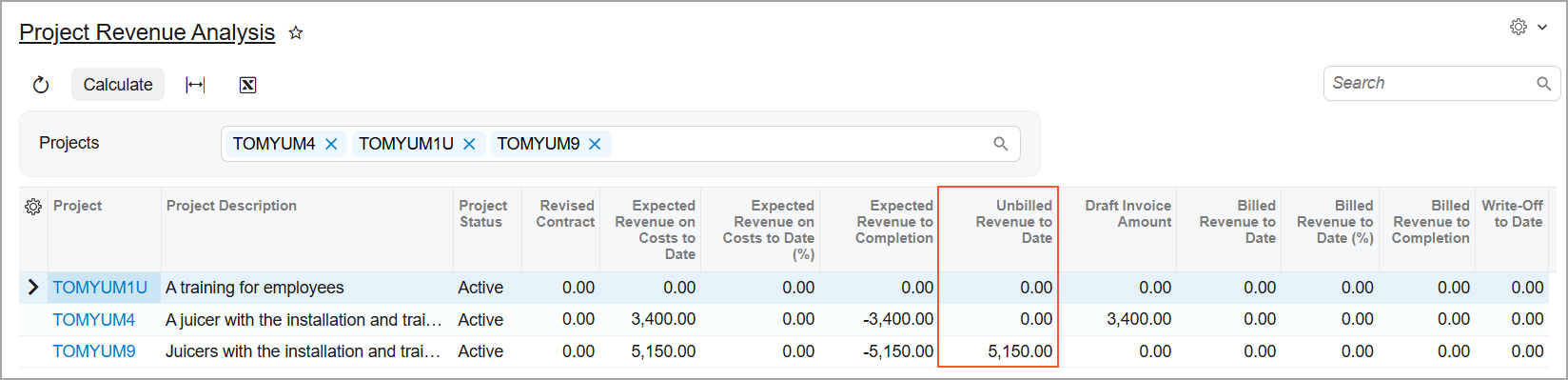
Get a fuller picture of unbilled and recognized project revenue. The Unbilled Project Revenue Aging and Project Revenue Analysis inquiries now include project tasks billed by a Progress Billing step, not just Time and Material, so you can analyze revenue across your whole project portfolio in one place.
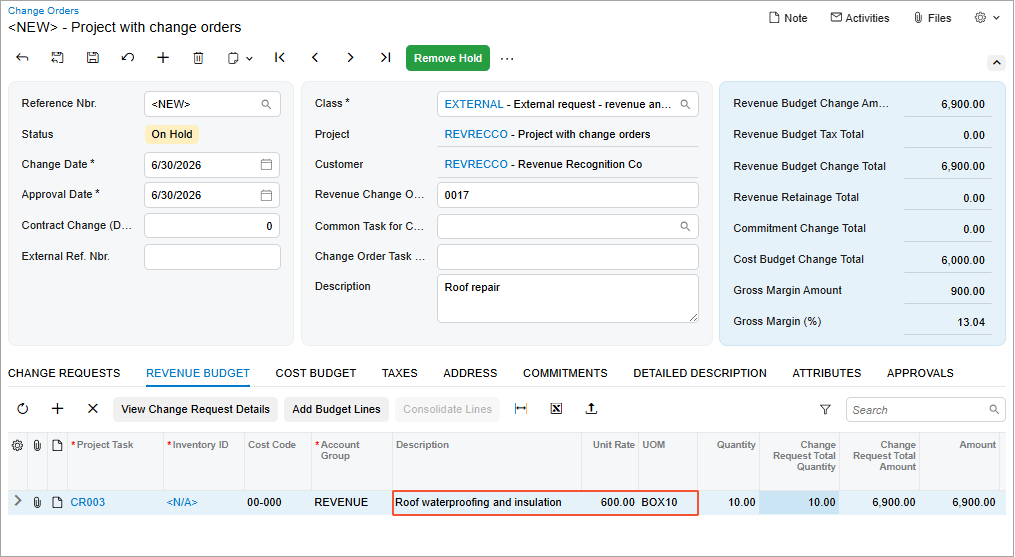
Configura el sistema para que copie automáticamente la descripción, la unidad de medida y la tarifa unitaria en las partidas presupuestarias del proyecto a partir de las órdenes de modificación, las solicitudes de modificación o las transacciones del proyecto que las hayan generado, lo que elimina un paso manual repetitivo cada vez que se crea una partida presupuestaria.
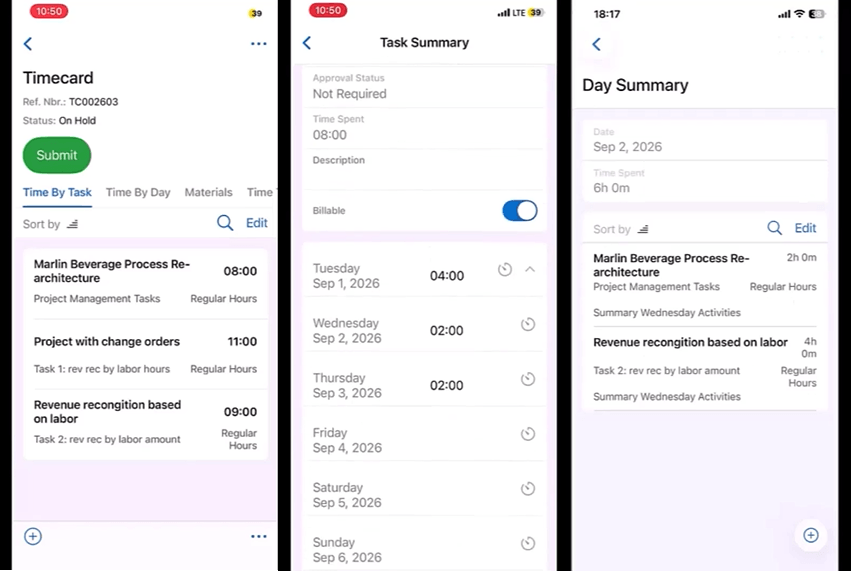
Enter time and material entries for any period, not just the default week, supporting forward-dated absences or skipping weeks. The mobile UI now displays running totals per day and per task.
DISTRIBUCIÓN Y COMERCIO
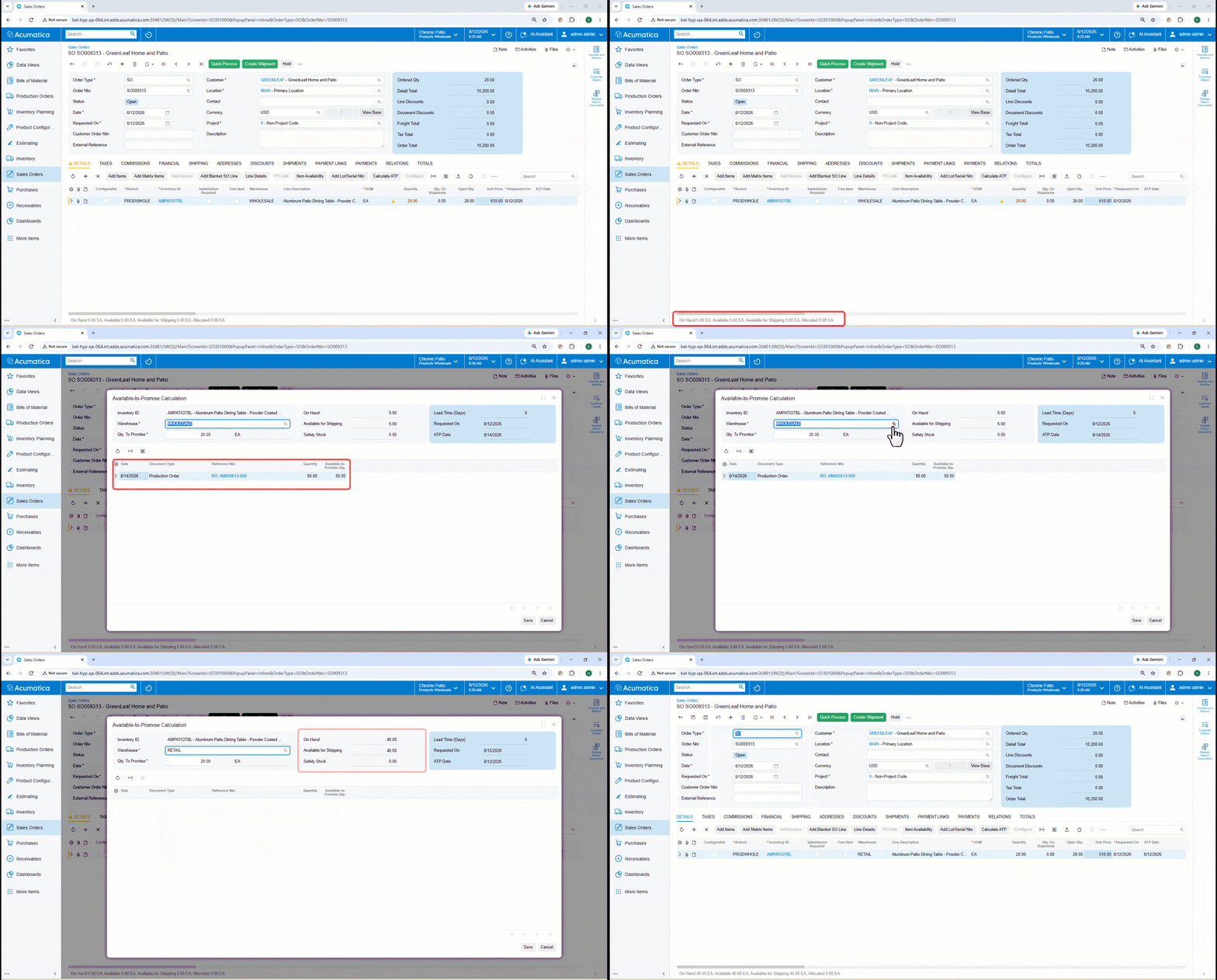
Consulta las previsiones de oferta y demanda en la línea del pedido, identifica la fecha más temprana en la que se puede enviar la cantidad total y aplica esa fecha al pedido durante las conversaciones con el cliente. Las clases de artículo determinan qué regla de cálculo de disponibilidad se aplica. Esa regla define los documentos de oferta y demanda que determinan los resultados de «Disponible para prometer» (ATP), mientras que los tipos de pedido determinan el tratamiento del stock de seguridad.
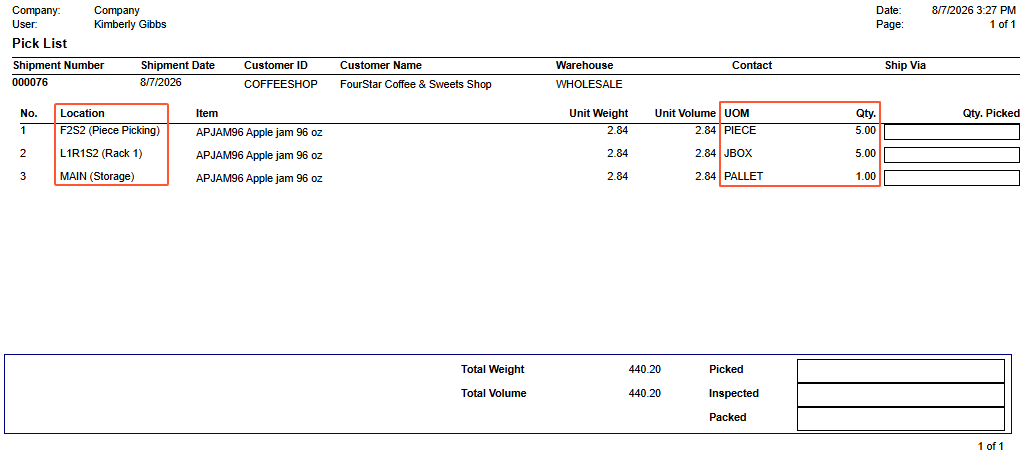
Elige entre el escaneo unidad por unidad, la introducción manual obligatoria o una opción predeterminada inteligente que rellena automáticamente la cantidad solicitada, mientras que las cantidades por palé, caja y unidad se distribuyen automáticamente entre las zonas de picking a granel, por cajas y de picking rápido. Las validaciones de códigos de barras, lotes, números de serie, caducidad y faltas en el picking siguen vigentes en su totalidad.
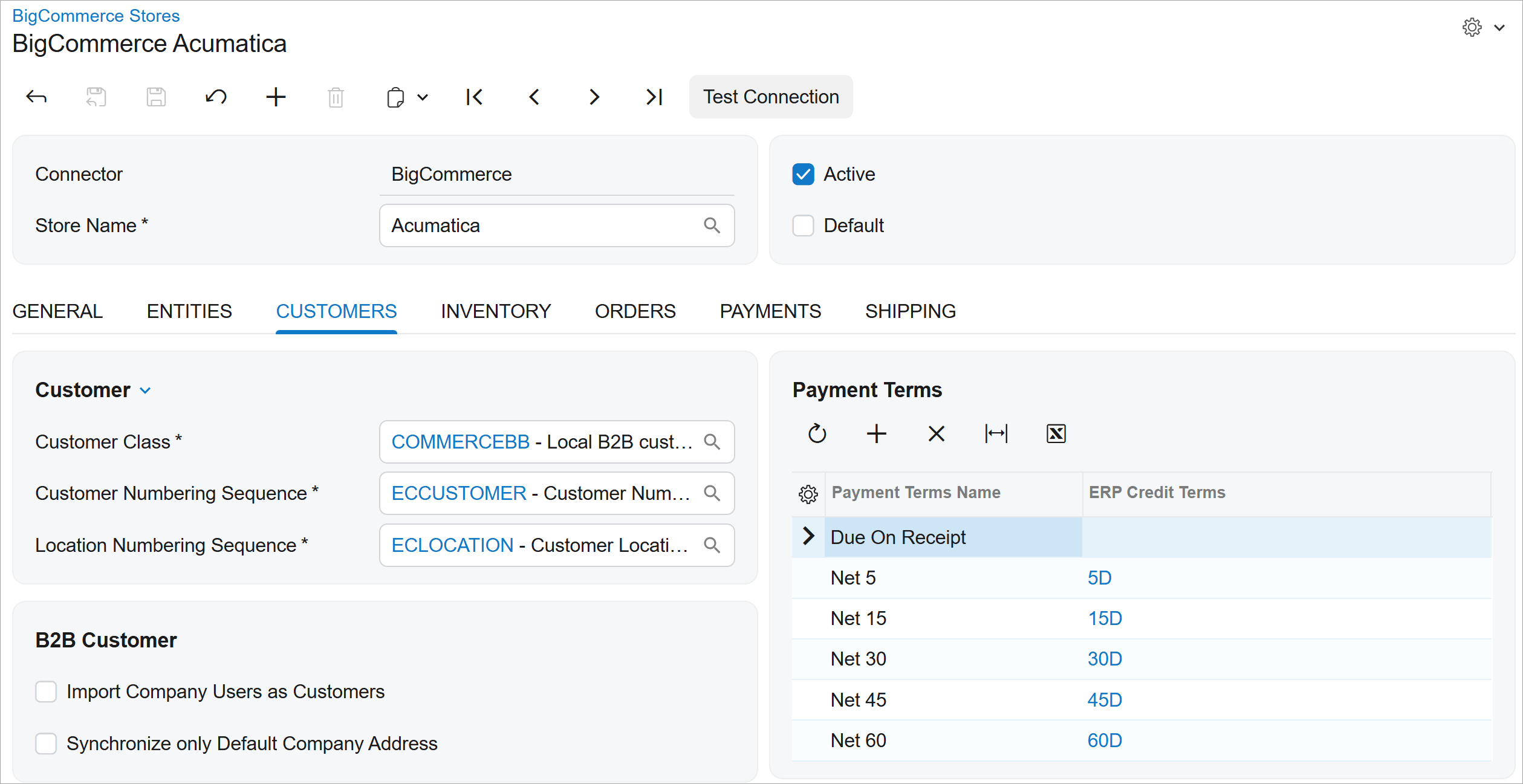
Exporta datos de Acumatica y mantén alineadas en ambos sentidos las direcciones, los usuarios, las jerarquías, los grupos de clientes, las condiciones de pago y las opciones de pago. El preprocesamiento de la empresa matriz y la clase de precios garantiza que las cuentas sincronizadas se registren con las relaciones y las condiciones comerciales correctas.
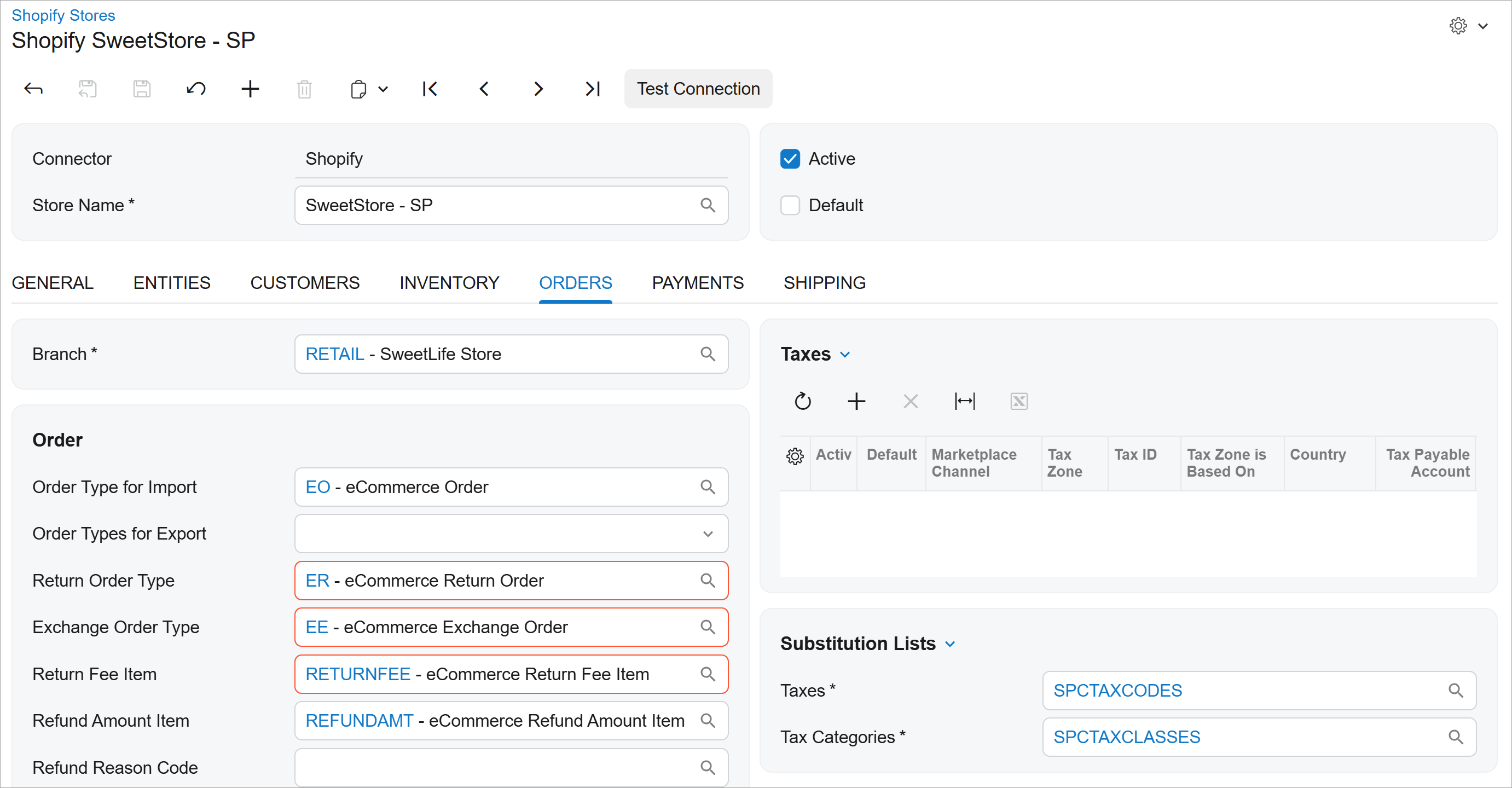
Los cambios en Shopify se procesan como transacciones estructuradas en las que se mantiene intacta la referencia del pedido original, y los artículos devueltos y los de sustitución se registran por separado, incluyendo el impacto en el precio, el descuento, los impuestos y el saldo neto. Se admiten tanto los cambios totales como los parciales, y las actualizaciones sobre la reposición de existencias y la gestión de pedidos se transmiten automáticamente a Shopify.
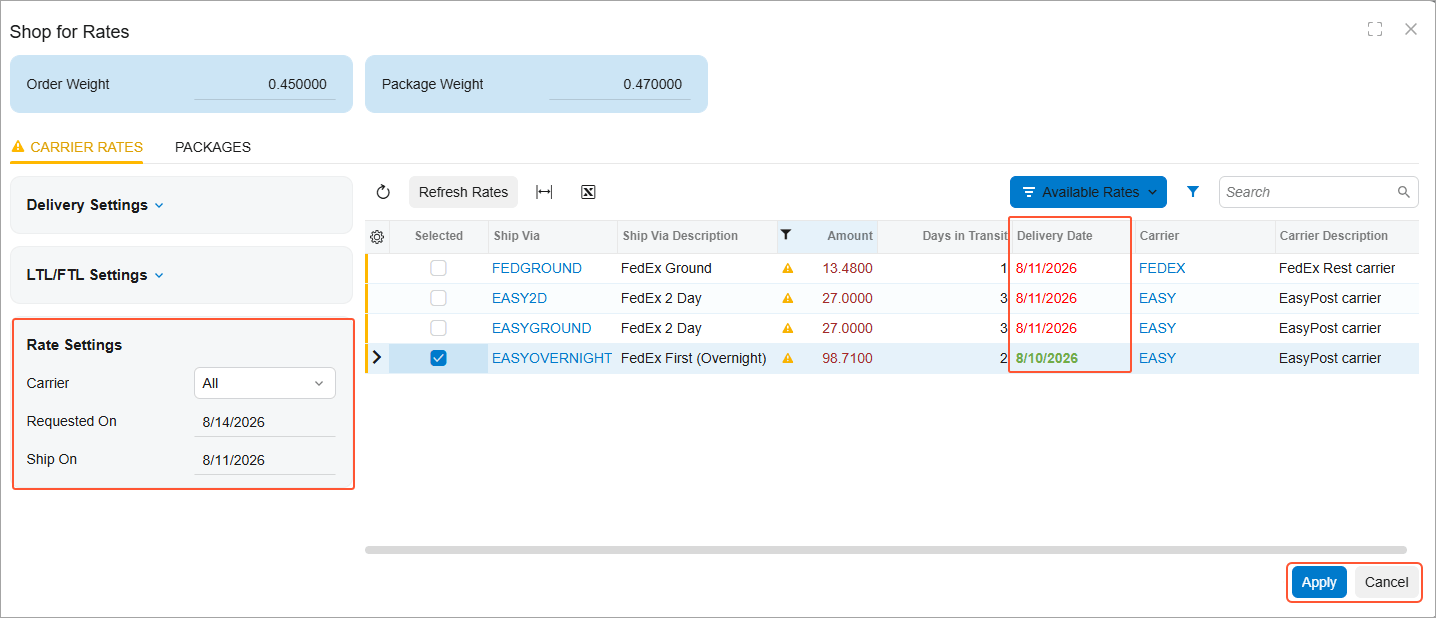
Compara primero las tarifas de los servicios más económicos y identifica claramente cuáles cumplen con la fecha de entrega solicitada; aprovecha EasyPost para revisar las correcciones de dirección sugeridas antes de imprimir las etiquetas y así validar los transportistas más económicos. Las solicitudes a los transportistas esperan a que se aprueben las validaciones del ERP, y las asignaciones de servicios gestionadas por el administrador mantienen las aplicaciones actualizadas a medida que cambian los requisitos.
FABRICACIÓN
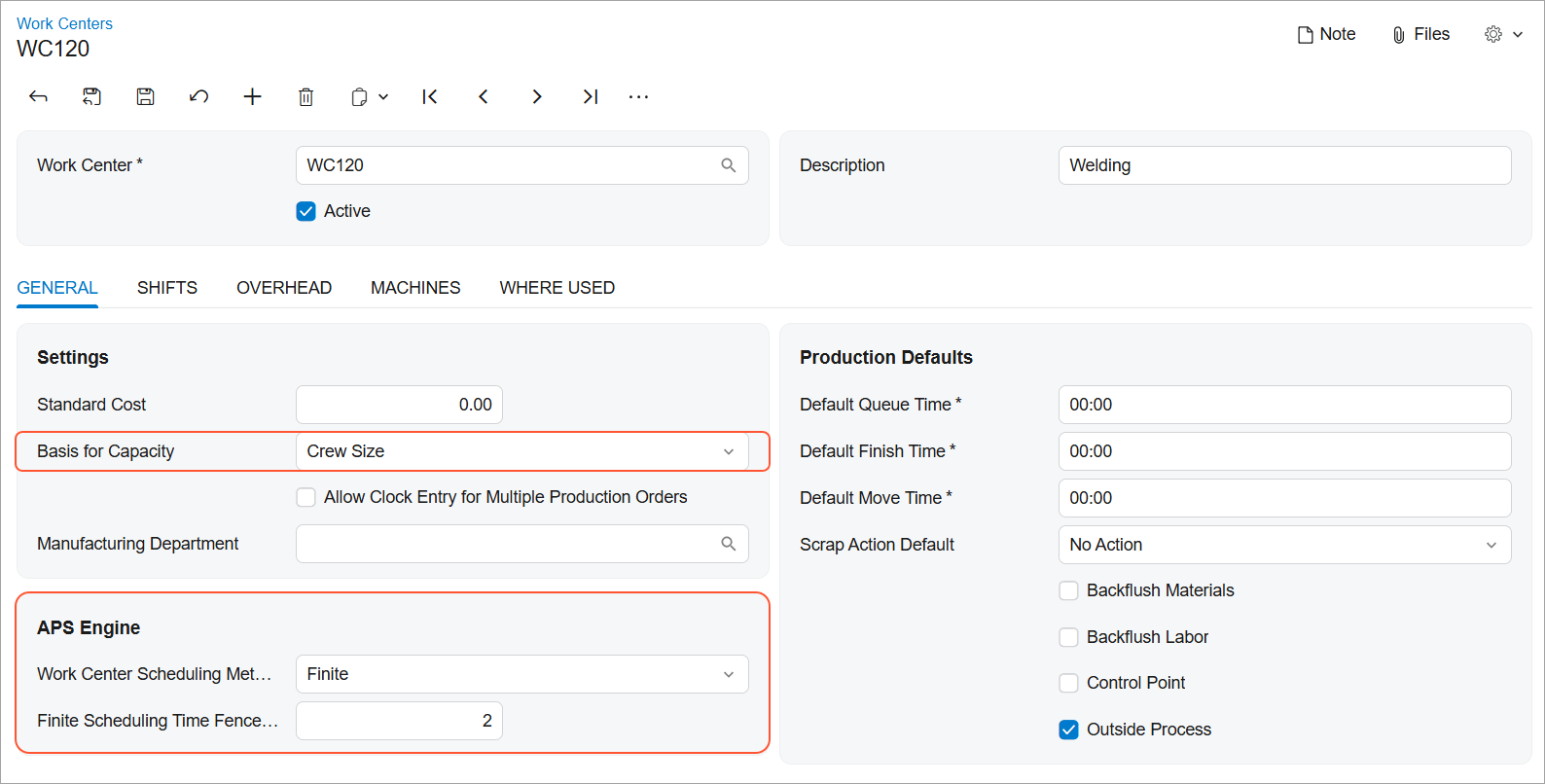
Planifica las órdenes de producción hacia adelante o hacia atrás utilizando lógica finita o infinita, teniendo en cuenta los calendarios de producción, los turnos, las pausas, los días festivos y los niveles de eficiencia con los que realmente funciona tu taller. Las fechas de las operaciones actualizadas, la secuencia y las repercusiones en los materiales se muestran a medida que planifica, de modo que puede ver cuándo terminará realmente un trabajo, comprometerse con fechas que pueda cumplir, evitar que los centros de trabajo con restricciones se vean desbordados y sacar más partido a la misma capacidad. Vuelva a ejecutar la planificación a medida que cambian las prioridades, dedique menos tiempo a rehacerla en hojas de cálculo y tenga más seguridad cuando alguien le pregunte en qué estado se encuentra su pedido.
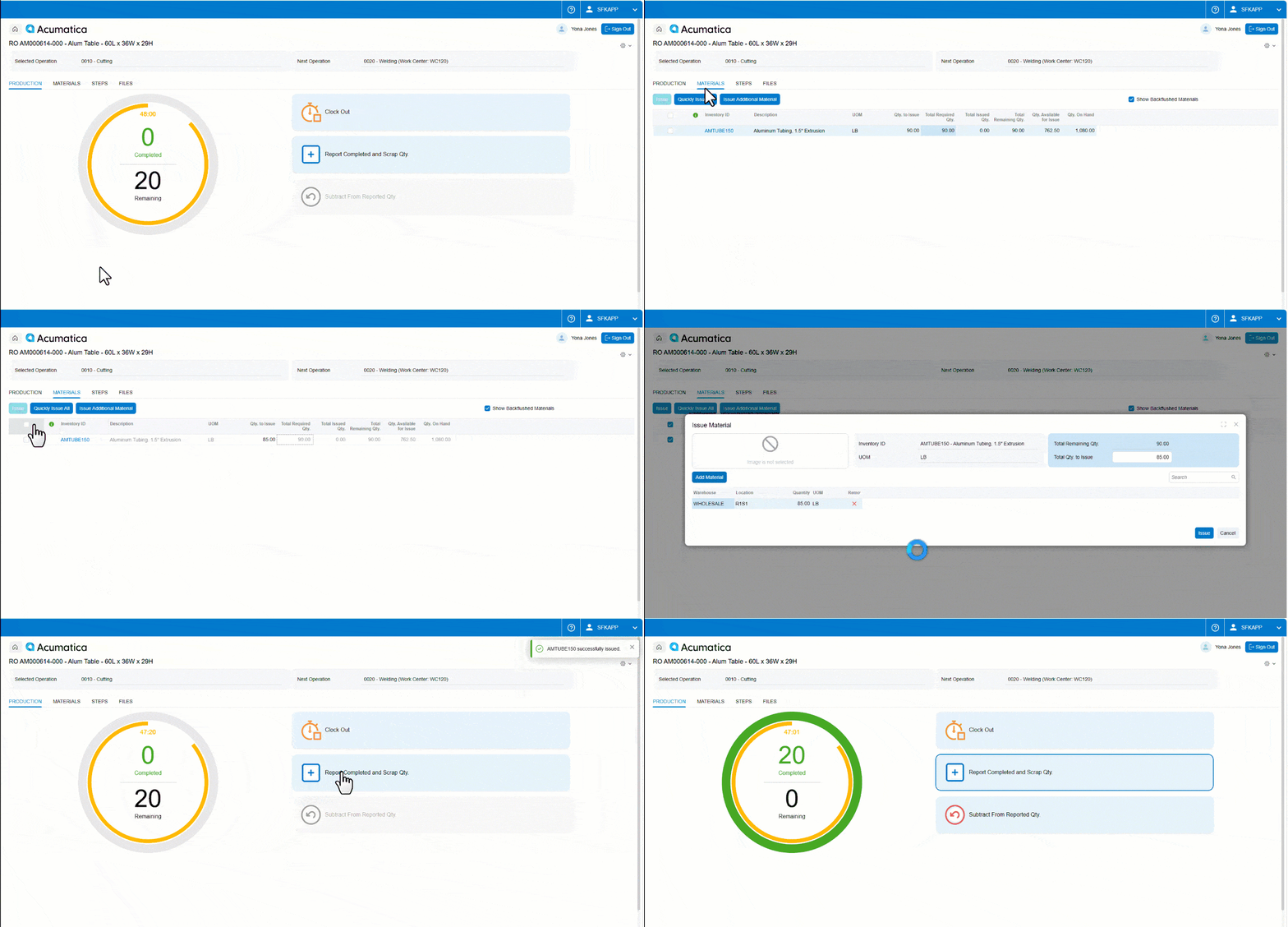
Envía los materiales directamente a la operación en la que estás trabajando, añade el artículo sustitutivo o el consumible que realmente requiera el trabajo y realiza las correcciones sobre la marcha. Introduce los atributos de lote y número de serie a medida que registras la producción, y busca por valor de atributo para que se consuma el lote o número de serie correcto a la primera. Todo lo que requiere el trabajo se registra allí mismo, donde se lleva a cabo: una trazabilidad que se mantiene cuando el departamento de calidad o un auditor lo solicitan, y los supervisores dedican menos tiempo a corregir los registros del día anterior.
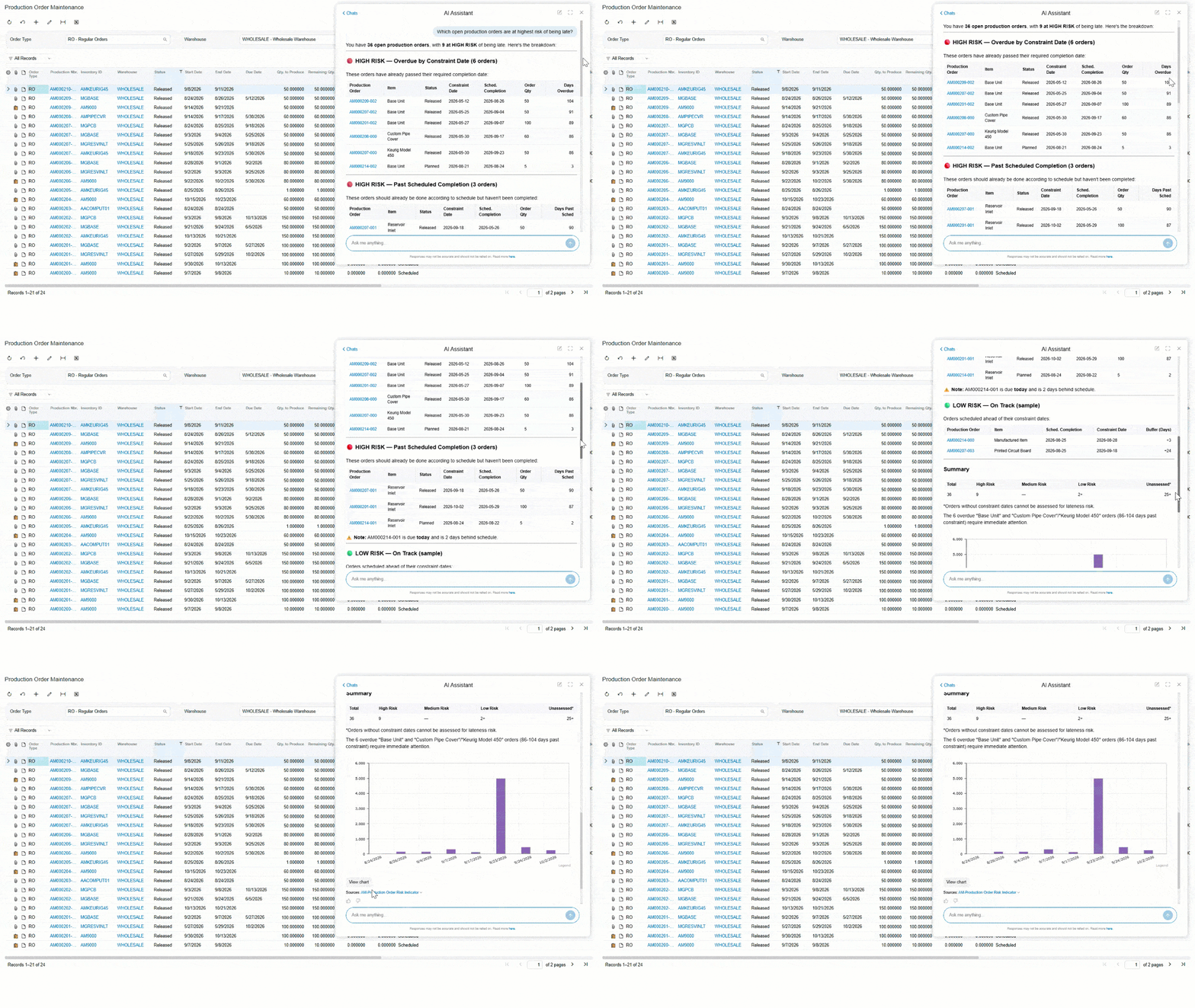
Plantea al asistente de IA preguntas sencillas sobre la producción y obtén respuestas específicas sobre la fabricación, sin tener que recopilarlas primero a partir de informes y consultas independientes. Cuatro nuevas consultas genéricas proporcionan al asistente la base de datos necesaria para responder a las preguntas operativas que surgen a diario en la planta y en la gestión de la producción.
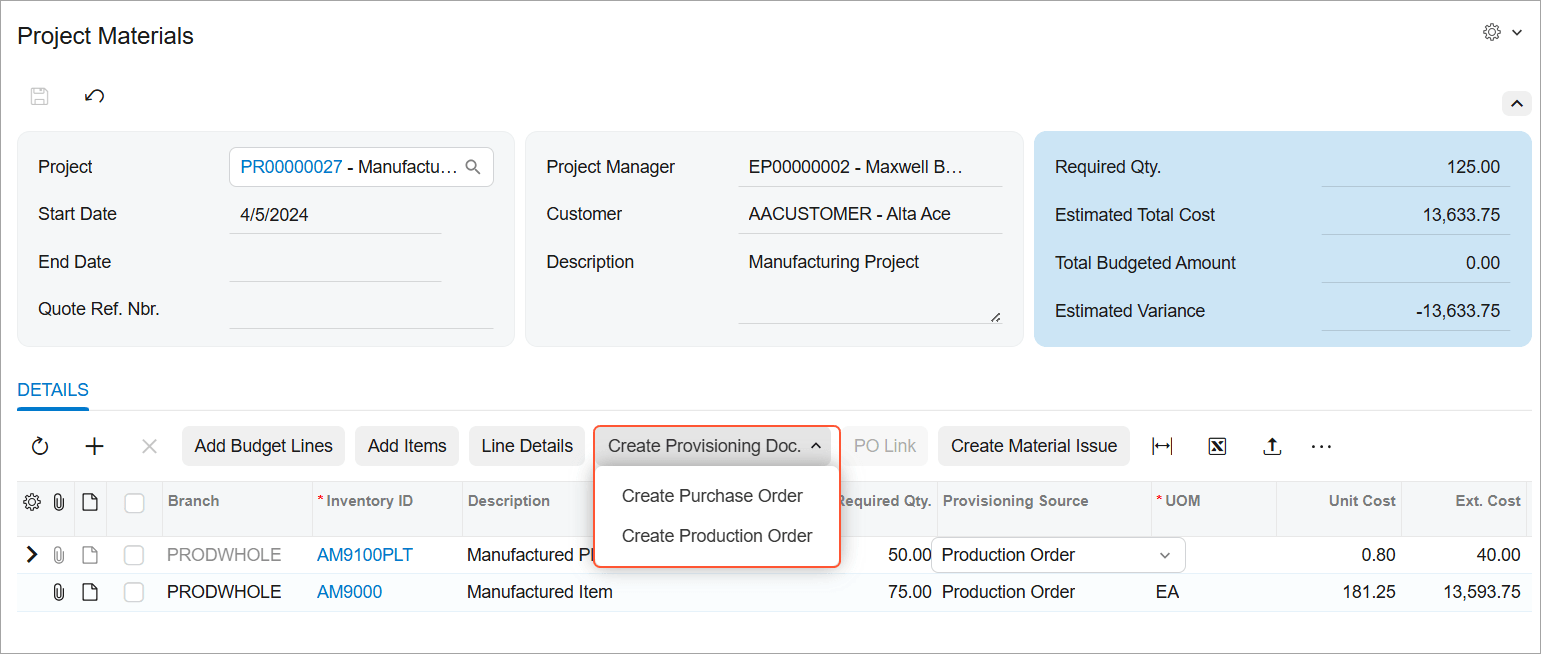
Marca las líneas de material del proyecto para su producción, ya sea de forma automática o manual, y, a continuación, inicia la creación de órdenes de fabricación directamente desde la lista de materiales cuando las existencias no basten para cubrir la demanda. Los planificadores que ejecutan el proceso «Crear orden de fabricación» ven la demanda del proyecto junto con el resto de datos, por lo que la generación masiva de órdenes también abarca el trabajo del proyecto. El artículo, la cantidad, la fecha de entrega, el proyecto, la tarea y el código de coste se transfieren automáticamente, y cada orden permanece vinculada a la línea de material que la originó, lo que permite hacer un seguimiento de cómo se cumplen los requisitos del proyecto y detectar listas de materiales o hojas de ruta que falten antes de que paralicen el trabajo.
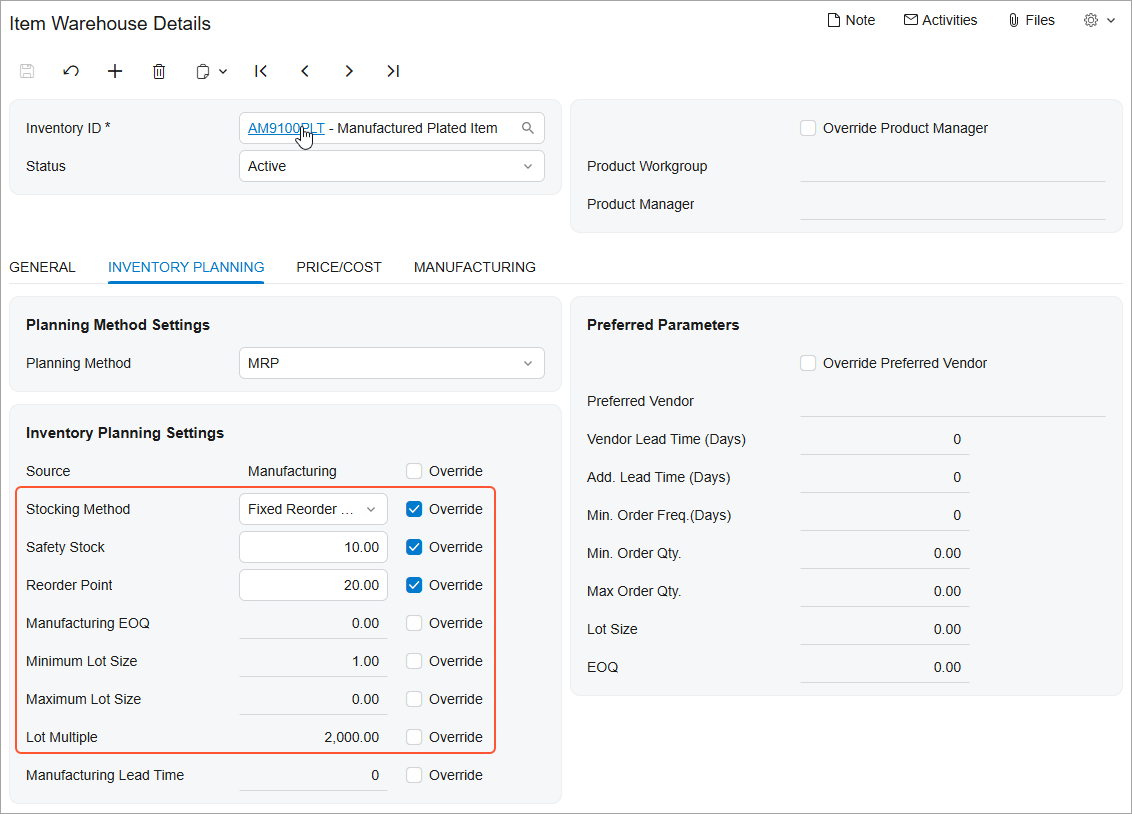
El stock de seguridad y el punto de reabastecimiento resuelven problemas diferentes, y los sistemas MRP y DRP ahora los planifican de esa manera. Establece un margen de stock de seguridad para absorber los picos de demanda y los retrasos en las entregas, excluyendo ese margen del cálculo del stock disponible para la planificación. O bien, establece un punto de reabastecimiento que active la reposición al alcanzar el nivel de activación y realice pedidos hasta un máximo, ajustando cada pedido a la diferencia en lugar de a una cantidad fija, lo que resulta adecuado para artículos con demanda variable o plazos de entrega largos. Aplicar el método adecuado a cada artículo se traduce en menos roturas de stock en las piezas volátiles y menos capital inmovilizado en el resto.