Producto

Acumatica Generic Inquiries

Use Generic Inquiries to turn live ERP data into tailored reports, dashboards, and analytics, trigger notifications and automation, and customize data entry views—all without code.

Ver ficha técnica

Answer business questions faster

Build a Generic Inquiry once and reuse it across Acumatica. Guided, no-code wizards turn current business data into custom screens, dashboards, pivot tables, Excel exports, and governed access for BI and AI, while supporting business events and scheduled automation.

haga clic en el icono para obtener más información

Productos destacados

Create inquiries quickly, explore the details behind performance, trigger the right actions at the right time, and deliver trusted answers wherever work happens.

Instant insights
Pregunta a la IA
Act automatically
Build and scale
Instant insights

Turn live data into answers in a click

Every number is one click from the transactions behind it. Group, pivot, and highlight real-time Acumatica data, then share it wherever your team works.
  • Summarize with ease: Group results into hierarchical tables with subtotals, totals, and calculated values, and build multiple pivot tables per inquiry using sum, average, maximum, and minimum.
  • Spot exceptions fast: Highlight rows and columns based on conditions, then drill down and open resizable side panels for more context.
  • Follow up on the spot: Jump from results to records or external URLs, and send targeted email to the people in a filtered list.
  • Share anywhere: Publish to responsive dashboards, export to Excel (with Data and Parameters sheets) or Report Designer, expose data through OData to Power BI, and reach it securely on mobile.
Screenshot of Ask and answer faster
Pregunta a la IA

Ask your ERP anything. Let AI flag what’s off.

Ask questions in plain language, catch outliers automatically, and connect the AI tools you already use. Everything draws on the inquiries your administrator publishes, under existing access rights.
  • Ask in plain language: Ask AI Assistant questions, including about prior periods and specific dates, and get answers as text, charts, or tables, backed by ready-made finance and manufacturing inquiries.
  • Keep what you learn: Save answers as dashboard widgets and see the source inquiry behind each one.
  • Catch anomalies early: Run AI anomaly detection on numeric columns, including nested inquiries, to flag unusual values by severity, on demand or on a schedule.
  • Bring your own AI: Let Claude, ChatGPT, and other tools read your approved data through MCP servers, with read-only access.
  • Equip your agents: Give AI agents the context they need by letting them use multiple inquiries as data sources.
Screenshot of Analyze from summary to detail
Act automatically

Don’t just watch the data. Act on it.

Generic Inquiries power the business events engine. When inquiry results meet your conditions, including AI-detected anomalies, Acumatica responds on its own. Or take action yourself on selected records, right from the results.
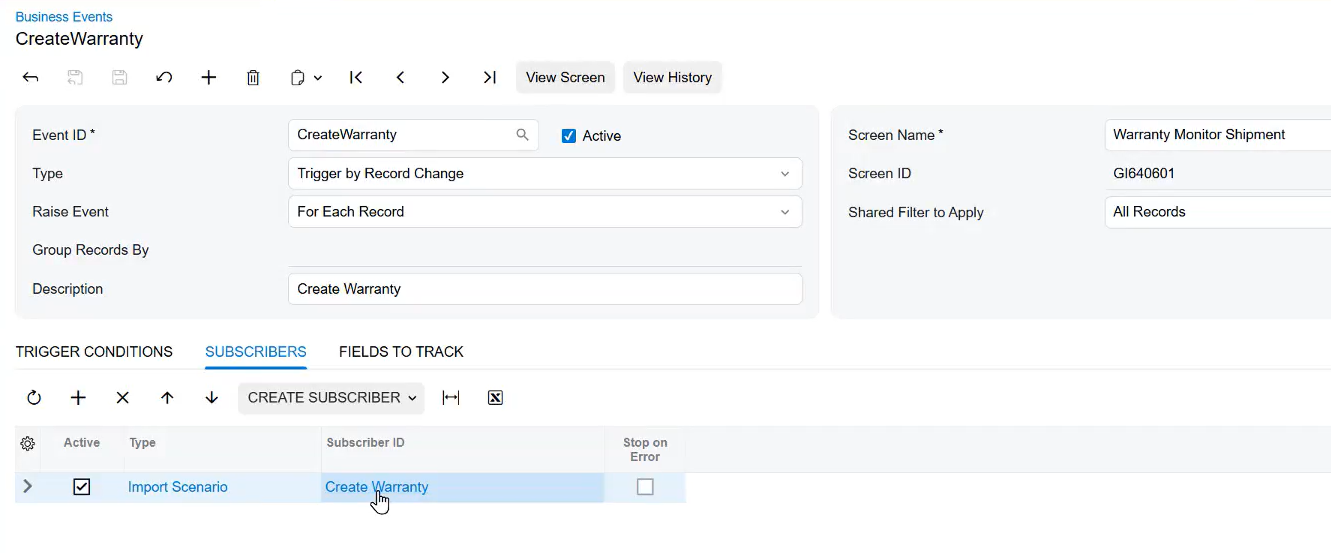
  • Trigger on conditions: Trigger business events when inquiry results or detected anomalies meet your criteria, and use automation schedules and proactive alerts to catch pending issues.
  • Alert the right people: Send email, push, and in-app notifications to employees, customers, or vendors, and preview and edit emails before they go out.
  • Start the next step: Create and assign tasks, start workflows, or kick off AI agent actions automatically.
  • Act in bulk: Run mass actions on selected records from the More menu.
Screenshot of trigger events and automate notifications
Build and scale

Build without code. Scale without rework.

Anyone can build inquiries on any Acumatica data, including customized fields, with no coding. As volume and AI use grow, warehousing keeps results fast and one security model keeps them protected.
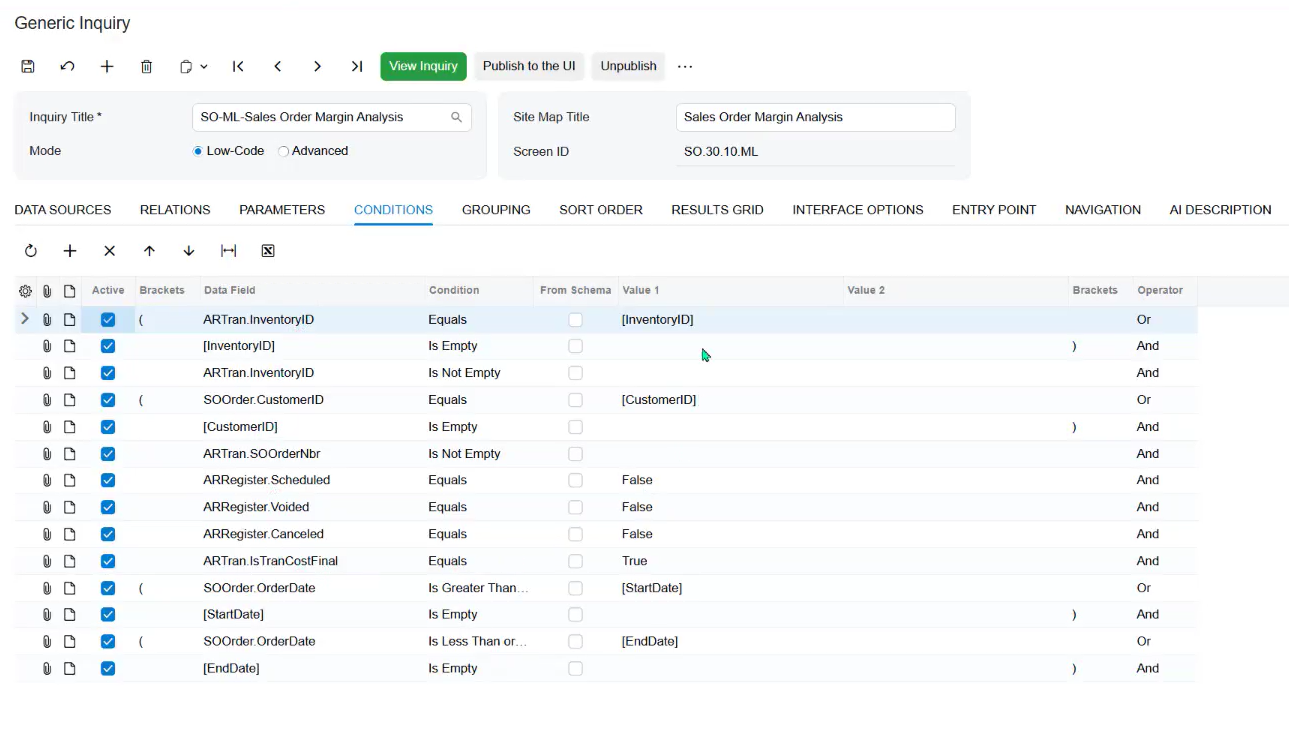
  • Build without code: Use a guided writer to join tables and add parameters and conditions.
  • Write queries faster: Use the GIQL editor’s autocomplete, entity validation, and real-time syntax-error highlighting to write queries with fewer errors.
  • Reuse and layer: Reuse inquiries, build new ones on top of existing inquiries, and copy, adjust, save, share, and favorite your filters and views.
  • Fit your workflow: Replace standard list screens in the menu with inquiries, and build import scenarios using UI field names.
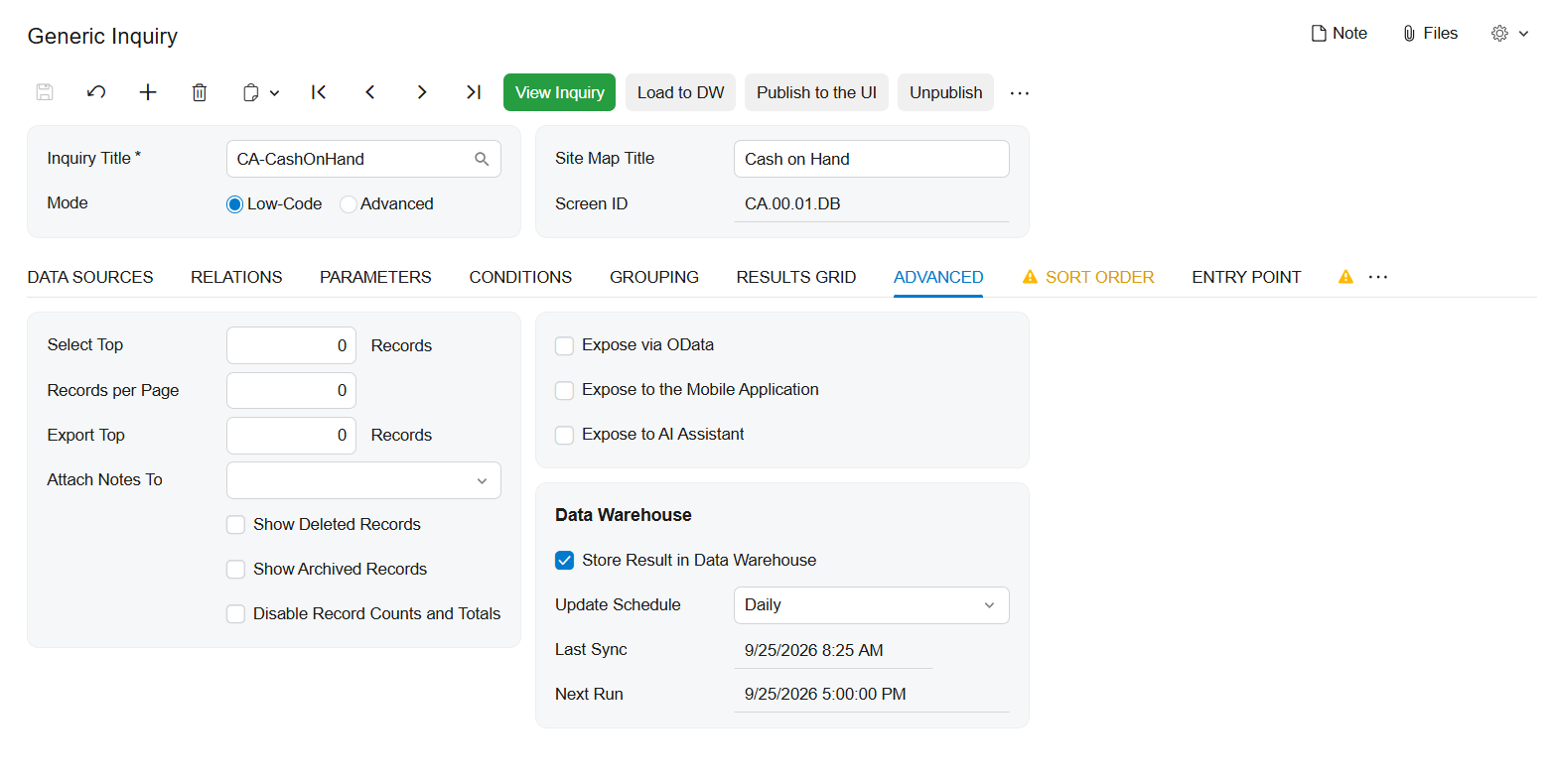
  • Stay fast at scale: Store large or frequently used results in a dedicated warehouse table, refreshed on a schedule or on demand, so dashboards, OData, MCP, and pivots load faster.
  • Stay secure: Apply one role-based security model everywhere, with DAC-level security for self-service builders and masking of sensitive fields sent to AI, so there is no separate security model to maintain.
Screenshot of build without code

¿Por qué Acumatica para la elaboración de informes y el análisis de datos?

Una solución escalable que crece al ritmo de tu negocio.

Solicitar una demostración

Construye tu demo perfecta

Selecciona los vídeos que mejor se adapten a tus paneles de control, informes y necesidades de inteligencia empresarial.

Visión general de Acumatica
Informes, cuadros de mando y BI
Artificial Intelligence Strategy
Contabilidad general e informes financieros
Historia de éxito de Raubex
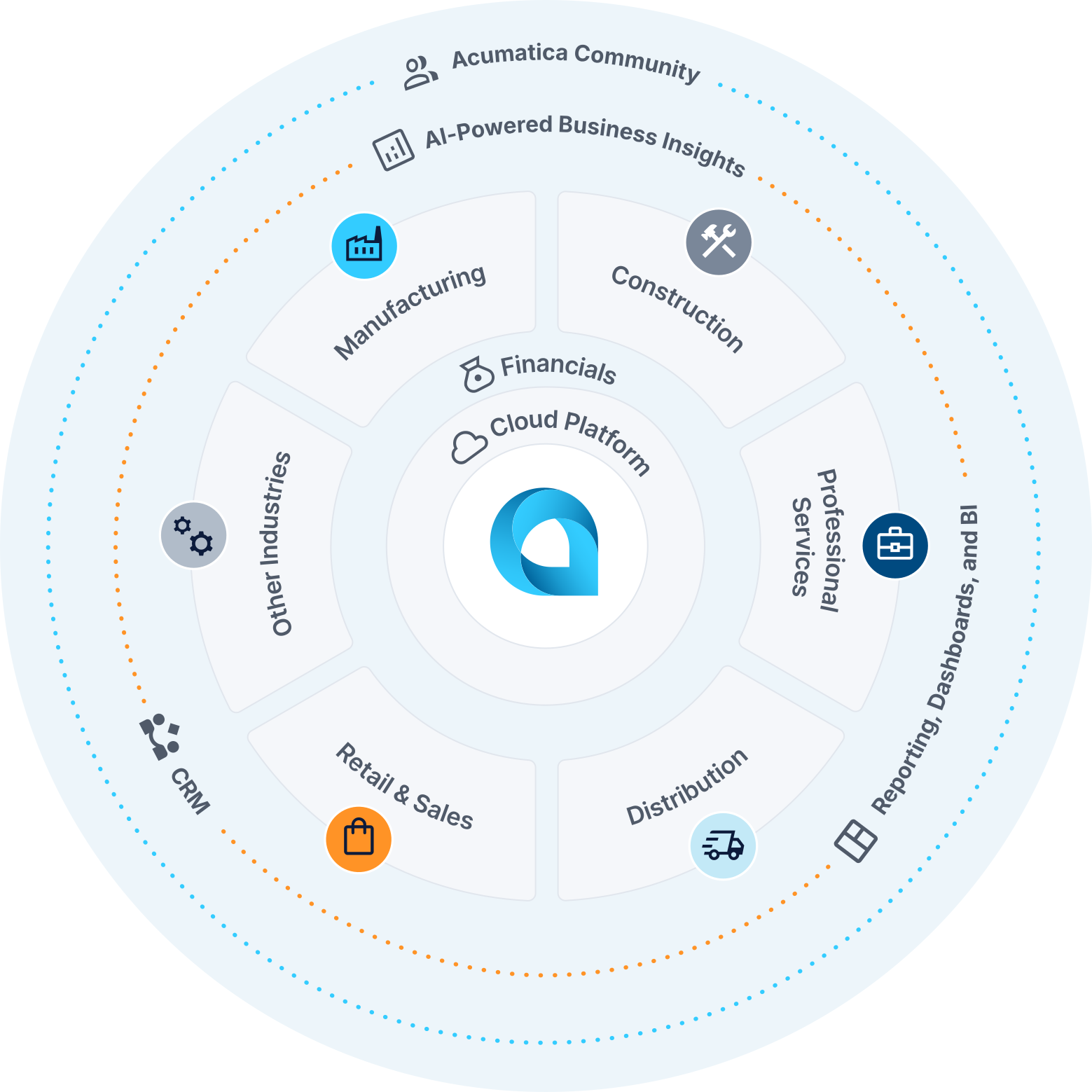
Captura de pantalla de la rueda de productos de Acumatica

Centro de conocimientos sobre informes, paneles de control e inteligencia empresarial

Tu kit de herramientas definitivo para modernizar las operaciones.

Integraciones
Recursos
calculadora de ROI
Soluciones de mercado para paneles de control, generación de informes e inteligencia empresarial

Marketplace Solutions for Generic Inquiries

Extend the power of Generic Inquiries with integrations from the Acumatica Marketplace. Connect to business intelligence platforms, data visualization tools, and reporting solutions that work seamlessly with your ERP solution data to deliver comprehensive insights across your entire organization.

Mercado de Acumatica

Recursos

Descubre más con estos recursos sobre informes, paneles de control, inteligencia empresarial y mucho más.

Centro de recursos

Calculadora del ROI de ERP

calculadora de ROI de ERP

Calcula el impacto potencial en el negocio de una solución ERP conectada.

calculadora de ROI

FAQ: Generic Inquiries and AI

What is an Acumatica Generic Inquiry?

A Generic Inquiry is a no-code tool in Acumatica Cloud ERP that lets users query any ERP data, including customized fields, and publish the results. Results can appear in dashboards, Excel, OData feeds, AI Assistant, MCP servers, and AI agents.

How do Generic Inquiries work with Acumatica AI Assistant?

AI Assistant answers plain-language questions using the Generic Inquiries your administrator publishes to it. Users get answers as text, charts, or tables and can save them as dashboard widgets.

How do I make a Generic Inquiry available to AI Assistant?

An administrator opts each inquiry in, so only the inquiries you choose are visible to AI Assistant. Nothing is exposed by default. Review which inquiries are published, and to which roles, to control what AI can see.

Can AI Assistant or outside AI tools show users data they aren’t authorized to see?

No. AI Assistant and MCP requests run under each user’s existing Acumatica access rights, so users see only data they’re already permitted to view. Access is read-only, MCP requests are logged, and no separate AI security setup is required.

What is anomaly detection in Acumatica Generic Inquiries?

Anomaly detection uses an unsupervised machine learning algorithm to flag unusual values in a numeric column of a Generic Inquiry, such as order totals, costs, or margins. Each anomaly gets a severity level. Detection can be grouped by field and timeline, and run on demand or on a schedule.

What can I do after Acumatica detects an anomaly?

Detected anomalies can appear as a count on a dashboard widget and can trigger business events. Those events can send email, push, or in-app notifications, create tasks, or start workflows, so the right people respond without reviewing every record manually.

Can I connect Claude, ChatGPT, or other AI tools to my Acumatica data?

Yes. Administrators set up Model Context Protocol (MCP) servers that expose published Generic Inquiries as tools. AI clients such as Claude and ChatGPT then get read-only access to approved data without exports or uploads.

How do AI agents use Generic Inquiries?

AI agents can pull supporting data from one or more published Generic Inquiries while processing a record. That gives them context beyond the current document, such as customer history or margin targets, before they take a defined action. Business events, import/export scenarios, or workflows can start an agent.

How does Acumatica protect sensitive data when using AI?

Administrators can mask selected fields so real values don’t reach the language model, then restore them inside Acumatica. Token usage tracking shows what data and volume each automation exchanges.

Do I need to write code to build inquiries for AI?

No. Any inquiry built with the guided wizard can be published to AI features. Advanced users can also use the Generic Inquiry Query Library (GIQL) editor, but coding isn’t required.

Reseñas de Acumatica Cloud ERP
Los mejores productos de software ERP de 2026

Construir juntos el futuro de las empresas.

Acumatica's future-ready Generic Inquiries solution can make your life easier and help your business grow faster.